In a world filled with scattered tools, endless browser tabs, and fragmented workflows, finding a streamlined productivity platform has become more challenging than ever. Over the past months, I’ve tested countless AI productivity tools in 2025, and only a handful truly deliver on the promise of simplicity and focus. One of the platforms that stood out the most is Upbase, a rising all-in-one workspace designed to bring together tasks, docs, calendars, files, and team collaboration under one clean, intuitive interface.
If the question on your mind is “Is Upbase worth it?” or “Does this Upbase review reflect real-world usage?”, this deep dive will help answer those questions. I’ve used the platform extensively for project planning, content workflows, client management, and team coordination—so the insights shared here come from real, practical experience.
What Is Upbase? – A Quick Overview
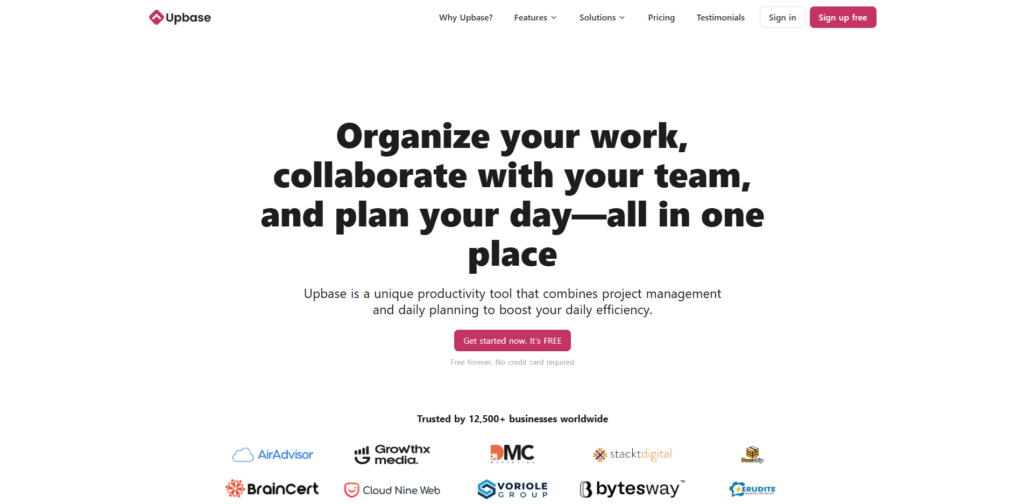
Upbase is a simple yet powerful all-in-one productivity and project management platform built for individuals, freelancers, small teams, and growing businesses. Unlike many complex project tools that overwhelm new users, Upbase follows a minimalist philosophy: reduce friction, eliminate clutter, and make everyday work easier.
At its core, Upbase combines the essential building blocks of modern productivity:
- Task management
- Shared documents & notes
- Calendar & time blocking
- Messaging and team collaboration
- File storage
- AI-assisted writing & planning
What makes the platform stand out is its balance of simplicity and depth. It’s powerful enough to manage large projects, yet approachable enough for someone switching from Notion, Trello, or Asana.
If you’re searching for the best AI tools for productivity in 2025, Upbase deserves a spot on your list.
Key Features & Benefits of Upbase
After using the platform day-to-day, these are the features that truly shape the Upbase experience.
Task Management That Actually Feels Simple
Task management tools often become overly complicated, but Upbase keeps things clean and structured. You can organize tasks using:
- Lists
- Boards (Kanban)
- Calendar views
- Subtasks and checklists
- Recurring schedules
What I personally appreciate is how Upbase emphasizes focus. You can hide tasks that aren’t relevant today, collapse entire lists to reduce noise, and rely on the “Today” page to see your priority tasks at a glance.
This simplicity translates into real productivity benefits.
Built-In Docs for Writing, Planning, and Collaborating
One of the biggest time-savers is Upbase’s document editor, which feels like a lightweight version of Notion—fast, clean, and great for team collaboration.
I used it to write content briefs, meeting notes, campaign strategies, and even full blog posts. With real-time collaboration, your team can edit, comment, and share ideas instantly.
This eliminates the need to switch between Google Docs, Notion, and other writing tools, making workflows dramatically smoother.
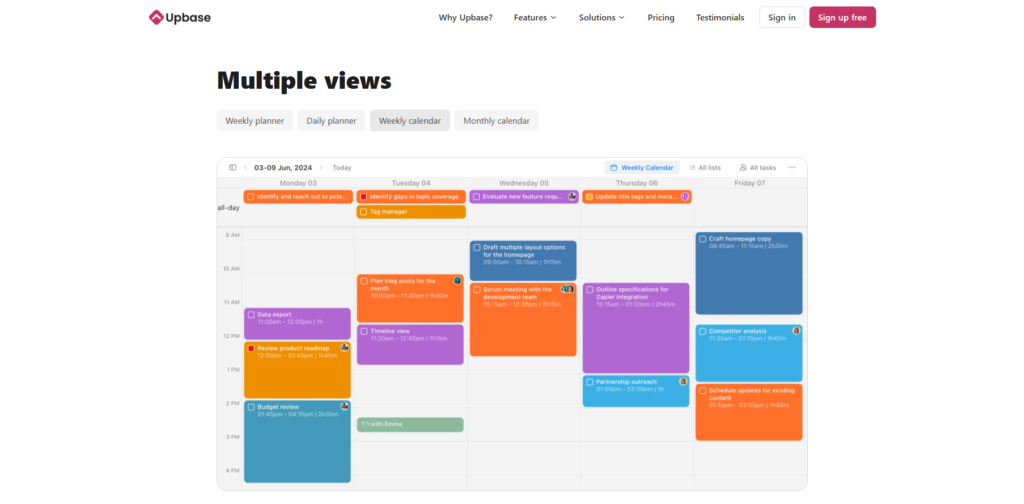
Calendar + Time Blocking for Deep Focus
A standout feature is the integrated time-blocking calendar, allowing you to schedule tasks, focus sessions, and upcoming commitments all in one place.
Instead of juggling Google Calendar separately, Upbase helps consolidate your day so you stay aligned with deadlines and personal priorities. For creators, agency owners, and SaaS professionals—this is incredibly valuable.
Messaging & Collaboration Tools
Upbase replaces Slack, Messenger, and endless email threads by offering:
- Direct messages
- Group chat
- Dedicated communication hubs per project
- Commenting inside tasks and docs
During real use, I found the communication threads noticeably less chaotic than Slack because everything stays tied to the actual work context.
File Storage & Attachment Organization
Uploading and organizing files is seamless. Whether you’re storing PDFs, brand assets, images, or client deliverables, everything stays attached to the correct task or project.
This greatly reduces time spent searching for files—especially in collaborative environments.
AI-Powered Helpers (New in 2025)
Upbase has integrated AI-assisted writing and planning tools, making it even more powerful.
You can now use AI to:
- Generate to-do lists
- Summarize documents
- Rewrite content
- Create project structures
- Brainstorm ideas
For businesses adopting the best AI tools for productivity, this feature adds efficiency without forcing you into a complex learning curve.
Designed for Individuals and Teams Without Overcomplication
Unlike enterprise tools that feel heavy, Upbase is intentionally lightweight. Whether you’re a solo entrepreneur managing multiple clients or a small SaaS team building internal workflows, the tool adapts easily without overwhelming new users.
Who Should Use Upbase? – Ideal Users and Use Cases
During testing, I found Upbase works best for:
Content Creators & Marketing Teams
If you’re managing content calendars, scripts, campaigns, and deliverables, Upbase centralizes everything in one clean workspace.
SaaS & AI Startup Teams
Small technical teams benefit from the balance of task simplicity, document sharing, and communication tools.
Freelancers & Client-Based Businesses
Client-by-client work becomes much easier to manage thanks to organized project spaces, messaging, and docs.
Remote Teams & Agencies
With built-in collaboration features, Upbase reduces tool switching and communication delays.
Students & Productivity Enthusiasts
Anyone interested in time blocking, task management, and focused work sessions will find Upbase extremely intuitive.
If you’re someone who wants structure without chaos, this tool will fit your workflow naturally.
How Upbase Works – A Practical Walkthrough
Using Upbase feels refreshingly simple. Here’s the typical workflow based on my experience:
Step 1: Create or Join a Workspace
Your workspace holds all lists, projects, and documentation. You can create multiple workspaces if you manage different teams or clients.
Step 2: Build Your Project Structure
Each project includes:
- Task lists
- Documents
- Files
- Chat
- Calendar
You can break projects into lists and sublists, depending on your process.
Step 3: Add Tasks and Organize Workflows
Tasks include details like due dates, assignees, priority tags, subtasks, and comments.
What I found helpful is that organizing tasks doesn’t feel like a chore—everything is drag-and-drop friendly.
Step 4: Use Docs and Chat to Centralize Collaboration
Instead of switching tools, your team stays inside Upbase to write notes, discuss updates, and share files.
This dramatically reduces context switching.
Step 5: Manage Your Schedule with the Calendar
Everything you plan—tasks, events, focus blocks—appears on a unified timeline.
This feature alone helped me manage my time better than many standalone calendar apps.
Step 6: Utilize AI Tools to Speed Up Work
The AI assistant inside Upbase saves time on:
- Brainstorming ideas
- Organizing project steps
- Writing content
- Summarizing documents
It’s a practical addition that blends seamlessly into the workflow.
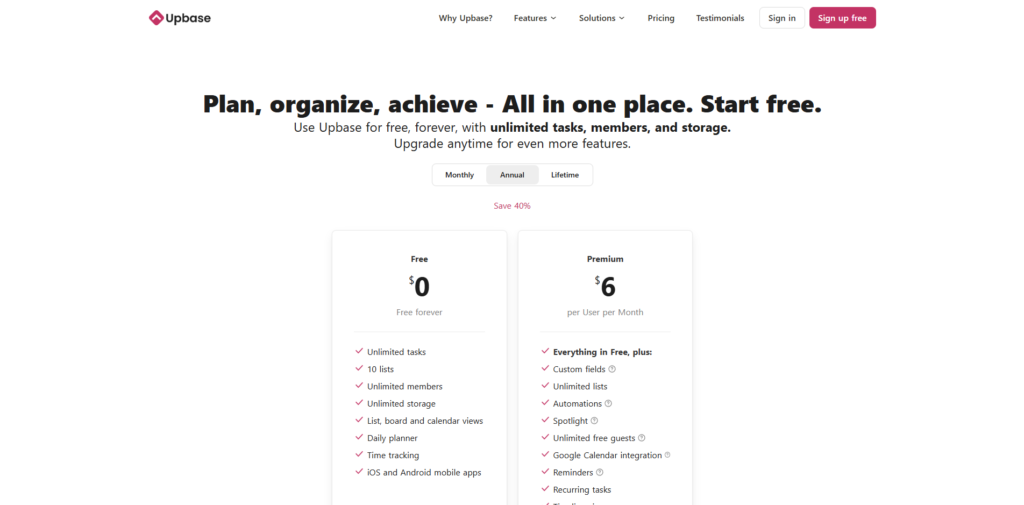
Pricing – Is Upbase Worth the Cost?
Upbase currently offers:
A Free Plan
Ideal for individuals or anyone who wants to test the platform. It includes core features but with limitations on storage and collaboration.
Paid Plans
Upbase offers affordable pricing tiers compared with other SaaS productivity platforms. The paid plans unlock:
- Unlimited projects
- Advanced collaboration
- More file storage
- Premium AI features
- Enhanced workspace controls
Considering how many tools Upbase replaces—task tools, notes apps, calendars, chat apps—the pricing feels more than reasonable.
For users searching for affordable AI productivity tools in 2025, Upbase is one of the best-value options available.
Pros & Cons of Upbase
Pros
One of the biggest advantages is its simplicity. Many all-in-one apps try to impress users with complex features, but Upbase focuses on clarity, ease of use, and workflow harmony. Task management is intuitive, document editing is smooth, and the time-blocking calendar is genuinely helpful. I also appreciate how the built-in messaging system eliminates the dependence on Slack or external chat tools.
Cons
While Upbase is powerful, it may not suit large enterprise teams needing advanced automation, custom integrations, or detailed engineering workflows. A more extensive integration ecosystem would be beneficial, especially for teams heavily dependent on tools like GitHub, Jira, or Salesforce. However, for individuals and small businesses, this limitation rarely becomes a real issue.
FAQs About Upbase
1. Is Upbase good for teams?
Yes, Upbase is designed for both individuals and small-to-medium teams. Its chat system, shared docs, task assignments, and calendars make collaboration smooth and organized.
2. Does Upbase have AI features?
Yes. Upbase integrates AI to help with writing, planning, summarizing, and brainstorming. It’s one of the reasons the platform is becoming popular among modern productivity users.
3. Can Upbase replace Notion or Trello?
Depending on your workflow, yes. Upbase combines the simplicity of Trello with the structure of Notion, while adding built-in communication and scheduling tools—making it a strong all-in-one alternative.
4. Is Upbase free?
There is a free plan suitable for basic use. However, the paid plans unlock the real power of the platform, especially for teams and professional users.
5. Is Upbase worth it for 2025 productivity workflows?
Absolutely. Its balance of functionality, AI support, and minimalist design makes it one of the most effective productivity tools available today.
Conclusion & Call-to-Action
After thoroughly using and testing the platform, I can confidently say that Upbase is one of the most practical and streamlined productivity tools available in 2025. It brings together tasks, communication, documents, scheduling, and AI assistance into a clean, cohesive workspace that actually improves focus instead of overwhelming users.
If you’re looking for an all-in-one platform that simplifies your workflow, enhances collaboration, and helps you stay on top of your most important tasks, Upbase is absolutely worth trying.
Ready to experience Upbase for yourself? Click the link below and explore everything this powerful tool has to offer.
Start your journey with Upbase today and transform the way you work.