Everyone is talking about the AI gold rush, but very few people tell you how to actually build the shovels. We all know that leveraging AI models like OpenAI or Gemini can transform a business, but taking a raw prompt and turning it into a polished, client-facing software product usually requires a team of developers. If you are a consultant, creator, or agency owner, you likely do not have the time or budget to learn complex coding just to launch a micro-SaaS.
This is exactly the problem that Pickaxe promises to solve for non-technical builders. Often described as the “Shopify for AI Agents,” this platform allows you to create custom AI chatbots, embed them on your website, and even put them behind a paywall to generate recurring revenue. I have spent significant time testing various AI builders, and the landscape is filled with clunky interfaces and limited white-labeling options.
In this comprehensive review, I will share my hands-on experience with this platform. We will dive deep into its core features, explore how easy it is to set up an AI tool, and determine if Pickaxe is truly the best no-code AI platform for launching your next business idea.
Overview of Pickaxe
At its core, Pickaxe is a powerful no-code platform designed to help you build, deploy, and monetize custom AI applications. It acts as the crucial bridge between raw large language models (LLMs) and a beautiful, user-friendly frontend interface. Instead of forcing your clients or website visitors to use ChatGPT with a complex prompt you give them, you can build a dedicated tool that does the heavy lifting automatically.
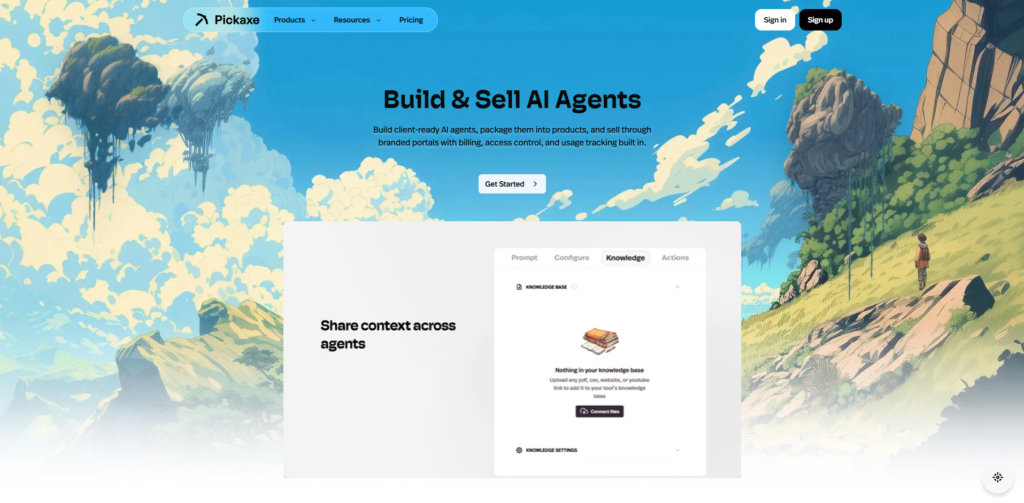
The platform allows you to create two main types of tools: conversational chatbots and structured form-based generators. You start by writing your core prompt—your “special sauce”—and then you can train the AI on your own specific documents, PDFs, or website URLs. This ensures the AI provides highly accurate, niche-specific answers rather than generic internet fluff.
What truly sets Pickaxe apart from other custom GPT builders is its heavy focus on monetization and deployment. It does not just help you build an AI tool; it provides you with a fully white-labeled “Studio” where users can log in, subscribe to a payment plan, and use your tools. By giving you the infrastructure to monetize AI agents instantly via Stripe, it effectively turns any niche expertise into a scalable software-as-a-service (SaaS) business.
Key Features & Benefits
After building several test applications on the platform, ranging from an SEO blog post generator to a specialized coaching chatbot, several features immediately stood out. These are the core functionalities that make the platform a top-tier choice.
Intuitive No-Code AI Builder
Building your first tool feels incredibly frictionless, even if you have never written a line of code. You can choose between a standard conversational chatbot or a form-based interface where users simply fill in the blanks. The platform even includes an automatic AI prompt writer to help you structure your underlying instructions perfectly. This lowers the barrier to entry, allowing you to build AI tools in minutes rather than months.
Custom Knowledge Bases (RAG)
An AI is only as valuable as the unique data it can access. With this platform, you can train your AI agents by uploading custom documents, pasting URLs, or even linking YouTube videos. The AI will strictly reference this custom knowledge base when answering user queries, which drastically reduces hallucinations. This feature is invaluable if you are an expert trying to digitize your proprietary frameworks or methodologies.
Action Integrations & APIs
A major limitation of basic chatbots is that they can only generate text, but Pickaxe allows your AI to actually perform tasks. Through their “Actions” feature, you can connect your tool to external services like Google Search, Airtable, Google Finance, or even image generation models like Flux 1.1 Pro. This means your chatbot can analyze real-time stock prices, update a CRM spreadsheet, or generate custom images directly within the chat interface.
Client-Ready AI Studios
This is arguably the most powerful feature for anyone looking to build a serious business. An “AI Studio” is a standalone, white-labeled web portal where you can house multiple AI tools under your own brand. You can connect a custom domain, customize the branding colors, and manage your entire user base from a single dashboard. It essentially gives you a professional SaaS storefront straight out of the box.
Built-In Monetization
If you want to sell AI products, this platform handles the entire financial backend seamlessly. You can set up flexible pricing models, including monthly subscriptions, tiered access, or pay-per-use systems. The platform integrates securely with Stripe, managing the billing, access control, and usage tracking automatically. They offer a highly creator-friendly revenue share, meaning you get to keep the vast majority of the money your tools generate.
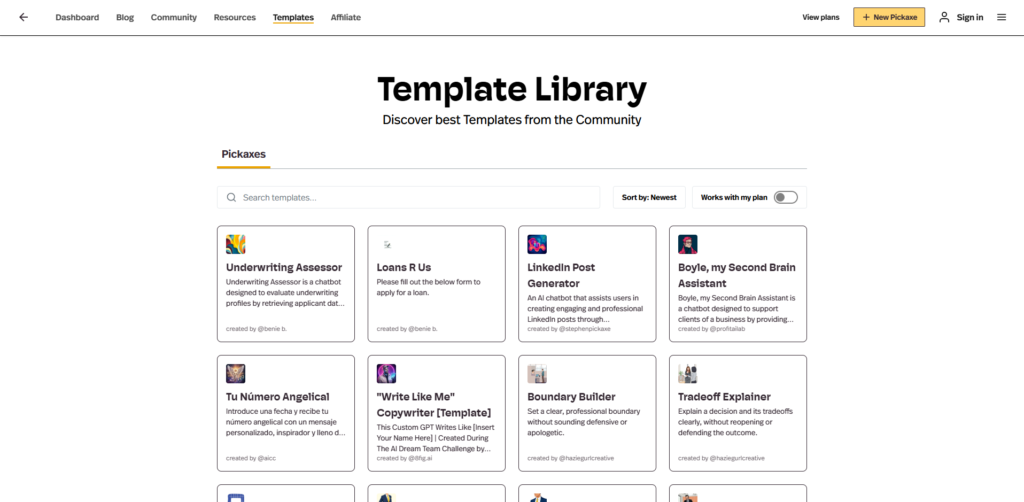
Ideal Users / Use Cases
While anyone can use this tool, it provides the highest return on investment for a few specific types of professionals. If you fall into one of these categories, the platform will feel like it was custom-built for your needs.
First, consultants and coaches can use it to scale their one-on-one expertise. You can build an AI coach trained on your specific methodologies to offer clients 24/7 support between live sessions. You can also create an “audit-to-action” planner that takes a client’s specific business data and automatically generates a 30-day strategy based on your unique IP.
Second, digital creators and marketers can leverage it to build high-converting lead magnets. Instead of offering a boring PDF download, you can embed a custom “SEO Title Generator” or “Brand Voice Analyzer” directly on your WordPress or Webflow site. Visitors get immediate, personalized value, making them much more likely to hand over their email addresses or purchase your premium offerings.
Finally, niche agencies can use Pickaxe to create custom internal tools or client-facing deliverables. For example, an insurance agency could build a “Policy Explainer” bot trained on complex legal documents to help clients understand their coverage quickly. The ability to white-label these tools means agencies can confidently present them to corporate clients as proprietary software.
How It Works
Getting started with Pickaxe is refreshingly straightforward, following a logical path from idea to deployed product. The first step is the “Build” phase, where you define the tool’s purpose. You write the master prompt detailing the AI’s persona, upload any training documents it needs to reference, and decide if it will be a free-flowing chat or a strict input form.
The next step is “Customization,” where you design the user experience. You can adjust the colors, tweak the layout, and add your own branding logos to ensure the tool matches your corporate identity. If you are building a full suite of tools, you will organize them into your custom AI Studio at this stage. You can also configure privacy settings to ensure your underlying prompts remain hidden from the end user.
The final steps are “Monetization and Deployment.” You connect your Stripe account, define your subscription tiers, and set usage limits to protect your AI costs. Once everything is ready, you simply click publish. You can either direct users to your hosted Studio URL, or copy a short snippet of code to embed the tool seamlessly into your existing website, blog, or landing page.
Pricing
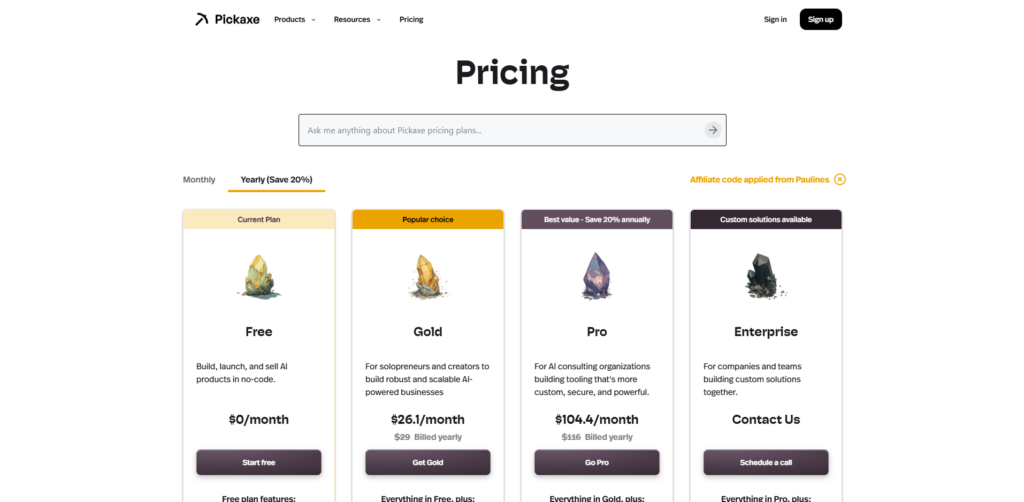
The pricing structure is designed to grow with your business, starting with a generous free tier that is perfect for testing.
The Free Plan costs $0/month and allows you to build unlimited AI tools, embed them anywhere, and even start monetizing them. It includes $5 per month in free AI credits to get you started. If you monetize on the free tier, the platform takes a higher revenue share, but it is an incredible way to validate your micro-SaaS idea without any upfront financial risk.
For serious creators, the Gold Plan is the sweet spot, priced at $29/month (when billed annually). This tier unlocks essential business features like white-labeling, the ability to connect custom domains, and access to more advanced AI models. It also increases your monthly free credits to $15 and allows you to connect up to three external actions per tool.
For agencies and larger teams, the Pro Plan costs $116/month (billed annually) and removes almost all limits. You get $50 in monthly credits, API access to integrate your tools with external software, unlimited document uploads, and unlimited Slack deployments. This tier is built for consulting organizations that need highly secure, robust, and scalable AI infrastructure for enterprise clients.
Pros & Cons
Like any software platform, Pickaxe has areas where it excels and a few areas where you need to manage your expectations.
On the positive side, the platform is unmatched in how quickly it lets you go from an idea to a monetized, client-facing product. The ability to organize tools into a beautiful, white-labeled Studio solves the biggest headache of launching a micro-SaaS. Furthermore, the seamless integration with tools like Airtable and advanced image generation models elevates your chatbots from mere text generators to powerful, multi-modal automated workers.
However, there are a few drawbacks to consider before diving in. The credit-based system used to calculate AI costs can be slightly confusing for beginners to track, especially if you have highly active users. Additionally, while the no-code builder is powerful, if you want to perform highly complex, multi-step backend automations, you might find yourself hitting the limits of the platform and needing to integrate it with something like Make or Zapier.
FAQs
1. Do I need to know how to code to use the platform?
No, the entire platform is designed for non-technical users. Building tools, designing your Studio, and setting up payment gateways are all done through a visual, drag-and-drop interface.
2. Can I use my own OpenAI API key?
Yes, on the paid plans, you have the option to “Bring Your Own Key” (BYOK). This allows you to bypass the platform’s credit system and pay OpenAI directly for your usage, which is often much cheaper at scale.
3. Is my proprietary data secure when I upload it?
The platform takes data security seriously and offers CCPA, SOC2, and GDPR compliance. The documents you upload to train your AI are siloed and are not used to train global public models.
4. Can I embed the AI tools on my existing website?
Absolutely. You can easily embed your chatbots or forms on almost any website builder, including WordPress, Webflow, Squarespace, and Kajabi, using a simple iframe or script tag.
Conclusion & Call-to-Action
If you have been sitting on an idea for an AI-powered business but felt held back by a lack of technical skills, Pickaxe is the exact solution you have been waiting for. It removes the friction of software development, allowing you to focus entirely on what actually matters: packaging your expertise and marketing your product. By combining custom knowledge bases, actionable integrations, and built-in Stripe monetization, it provides a true “business in a box” experience.
Whether you want to build a free lead-generation tool for your blog or launch a fully paid SaaS product for your consulting clients, this platform gives you the professional polish needed to succeed. The barrier to entry has never been lower, and the upside for early adopters is massive.
Stop letting your AI ideas gather dust in your notes app. Click here to start building your first AI tool for free with Pickaxe today, and turn your expertise into a scalable, revenue-generating software product!