If you work in the digital space, you already know the sinking feeling of seeing the “Disk Space Almost Full” notification on your computer. Whether you are archiving high-resolution photography, managing heavy graphic design files, or organizing multiple TVC advertising scripts and video assets for client campaigns, storage is a constant battle. We live in an era of subscription fatigue, where every software, tool, and platform demands a monthly fee that slowly eats away at your profit margins.
For years, I bounced between Google Drive, Dropbox, and external hard drives, trying to find a workflow that didn’t slow down my computer or drain my wallet every month. That was until I decided to completely overhaul my digital asset management and invest in a permanent solution. I was looking for a platform that offered enterprise-grade security, seamless file sharing for agency clients, and, most importantly, an end to recurring subscription fees.
This brings us to one of the most compelling SaaS products in the data management space today. In this comprehensive review, I am going to share my hands-on experience with pCloud, a Swiss-based cloud storage provider that is disrupting the industry with its unique lifetime pricing model. If you are tired of renting your digital space and want to finally own it, keep reading to see if this platform is the right fit for your workflow.
Overview of the pCloud Ecosystem
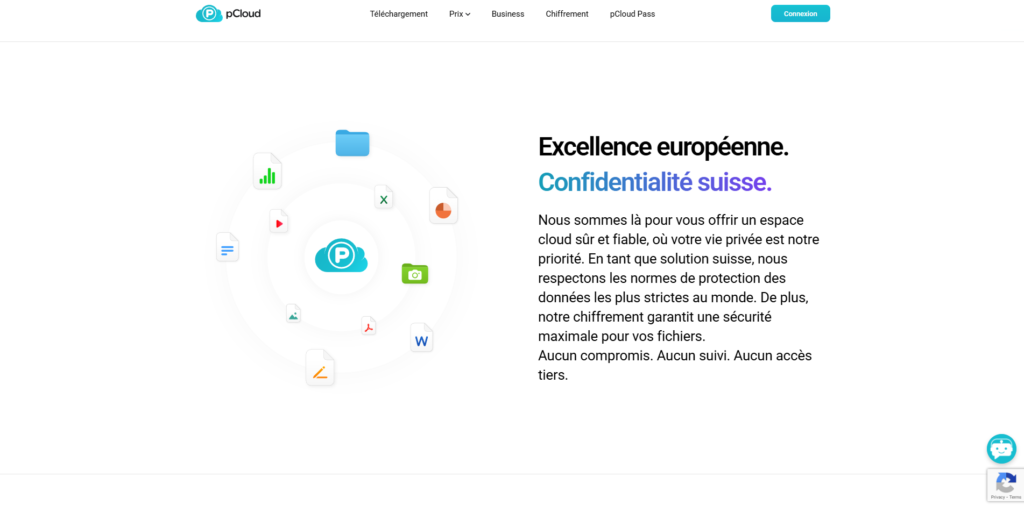
At its core, pCloud is a highly secure, multi-platform cloud storage service designed to store, manage, and share files seamlessly. Founded in Switzerland, a country globally recognized for its strict privacy laws, the platform prioritizes data security and user confidentiality above all else. Unlike traditional cloud storage options that merely sync a folder on your computer to the cloud, this SaaS operates with a much smarter architecture.
The primary objective of this platform is to provide a comprehensive virtual environment for your files. It acts exactly like a physical external hard drive, but it exists entirely in the cloud, meaning it does not consume your local disk space. This is a revolutionary approach for professionals who handle massive datasets on laptops with limited SSD storage.
Today, the platform boasts over 19 million users worldwide, ranging from individual freelancers to large-scale media agencies. It provides native applications for Windows, Mac, Linux, iOS, and Android, ensuring that your data is accessible regardless of the device you are using. By combining cutting-edge encryption technology with a highly intuitive user interface, it positions itself as a top-tier alternative to the Silicon Valley tech giants.
Key Features & Benefits
When you rely on cloud storage daily for heavy digital lifting, basic syncing just doesn’t cut it. Here is a detailed breakdown of the standout features that make pCloud a powerhouse for productivity.
The Revolutionary pCloud Drive (Virtual Drive)
The absolute best feature of this platform is the desktop application known as pCloud Drive. When you install it, it creates a secure virtual drive on your computer. This means you can access, edit, and save files directly to the cloud as if they were stored locally on your machine, but they take up exactly zero bytes of your physical hard drive space.
For anyone working with heavy media, this is a lifesaver. You can open a massive Photoshop file or a high-res video project directly from the virtual drive, make your edits, and hit save. The software handles the background uploading automatically, freeing up your computer’s local memory for running heavy software instead of storing dead files.
Custom Branding for Professional File Sharing
If you run an agency or frequently share deliverables with clients, presentation is everything. When you share a download link using traditional cloud services, the client sees a generic, unbranded interface. This platform changes the game by offering custom branding for your shared download links.
You can customize the shared link page with your company’s logo, a custom headline, and a specific background image. When a client clicks the link to download their new Meta ad creatives or review a TVC script, they are greeted with a highly professional, branded experience. This small touch significantly elevates your brand’s perceived value and professionalism.
Uncompromised Swiss Security
Data breaches are a nightmare for any digital business, making security a non-negotiable factor when choosing a SaaS tool. Being based in Switzerland, the company adheres to some of the strictest data privacy laws in the world. Furthermore, they offer an add-on feature called pCloud Crypto, which provides client-side, zero-knowledge encryption.
This means that your files are encrypted on your device before they even reach the company’s servers. You are the only person holding the decryption key; not even the platform’s developers or administrators can access your sensitive data. Whether you are storing confidential client contracts or proprietary marketing strategies, your information is completely locked down.
Built-in Media Player and Streaming
Unlike many storage providers that force you to download media files before you can view them properly, this platform has an exceptional built-in media player. It natively supports a wide variety of audio and video formats. You can stream high-quality video files directly from the cloud without buffering.
This feature is incredibly useful when reviewing multiple video ad iterations for YouTube or TikTok campaigns. You can simply preview the files online on any device without clogging up your mobile phone or tablet with massive temporary downloads. It even allows you to create audio playlists, essentially turning your cloud storage into a personal streaming service.
Ideal Users / Use Cases
While anyone can benefit from extra digital space, certain professionals will find immense, immediate value in pCloud.
Digital Marketers and Agencies: If you are running multiple ad campaigns across Meta, Google, and TikTok, you are constantly generating new creatives, copy documents, and analytics reports. The ability to organize these by client, use branded sharing links for approvals, and never worry about running out of space makes this an essential agency tool.
Photographers and Graphic Designers: Raw image files and complex vector graphics eat up hard drive space incredibly fast. The virtual drive feature allows you to offload thousands of high-res photos to the cloud while keeping them instantly accessible via your desktop file explorer. You get the speed of local access without the storage penalty.
Freelancers and Solopreneurs: When you are managing your own business, keeping overhead costs low is critical. The lifetime payment option is a dream for freelancers who want to secure a massive amount of storage without adding another monthly invoice to their ongoing business expenses.
How It Works
Getting started with pCloud is incredibly straightforward, designed to integrate into your existing workflow within minutes.
First, you sign up via the web portal and choose your preferred server location (either the United States or the European Union) for data compliance. Once your account is active, the most crucial step is downloading the desktop application for your operating system. Installing this software is what creates the virtual drive on your computer, integrating directly into Windows File Explorer or macOS Finder.
From there, using the platform is as simple as dragging and dropping files. Any file you move into this virtual drive is instantly and securely uploaded to the cloud in the background. For mobile users, the dedicated iOS and Android apps offer automatic camera roll backups, ensuring that any photo or video you shoot on the go is instantly synced to your master storage.
Pricing Options
The pricing structure is where this platform truly outshines the competition, offering unparalleled long-term value. While they do offer standard monthly and annual subscriptions, the real draw is their Lifetime plans.
The Lifetime Plans: By making a single, one-time payment, you secure your cloud storage for life (officially defined as 99 years or the life of the account holder). They currently offer three main tiers: a 500GB Premium plan, a 2TB Premium Plus plan, and a massive 10TB Custom plan. While the upfront cost might seem higher than a single month of Google Drive, the break-even point is usually within two to three years.
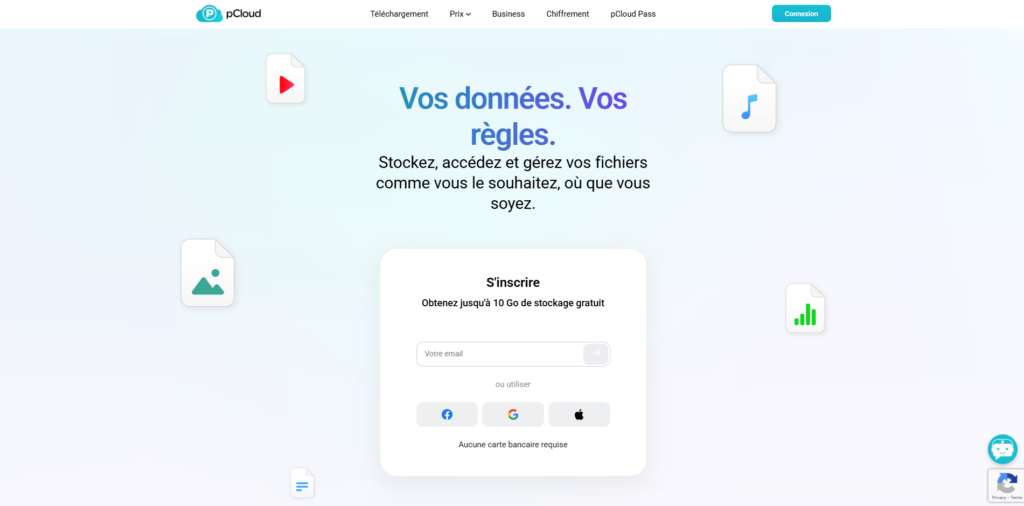
Annual Subscriptions & Free Tier: If you are not ready to commit to a lifetime plan, you can opt for their annual billing, which is priced competitively against standard market rates. Additionally, they offer a completely free tier that gives you up to 10GB of storage simply by signing up and completing a few onboarding tasks, allowing you to test the interface before spending any money.
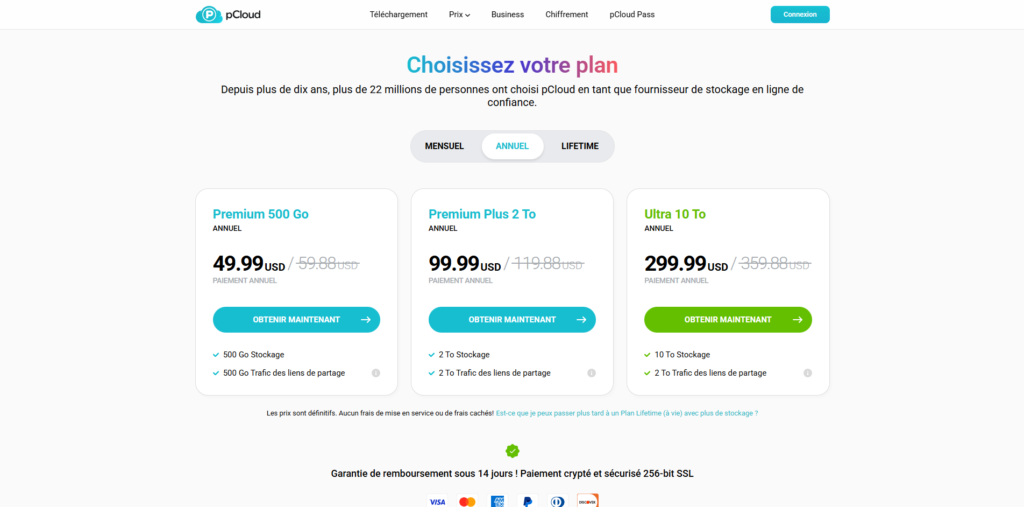
(Please note: Pricing and specific promotions fluctuate throughout the year, so it is highly recommended to click the link below to check the current available discounts).
Pros & Cons
No software is entirely flawless, and it is important to weigh the specific advantages against potential limitations before integrating a new tool into your daily operations.
The Pros: The absolute biggest advantage is the Lifetime cloud storage model, which effectively eliminates recurring software overhead. The virtual drive technology is incredibly efficient, completely solving the issue of limited local SSD space on modern laptops. Furthermore, the custom-branded sharing links provide a massive aesthetic upgrade for client-facing communications, and the robust Swiss privacy laws offer peace of mind.
The Cons: On the downside, the ultra-secure client-side encryption (pCloud Crypto) is not included in the base plans and requires a separate, additional purchase. Furthermore, while it excels at storage and sharing, it does not feature native real-time document collaboration (like multiple people typing in a Google Doc simultaneously). If your team relies heavily on simultaneous live editing, you will still need a secondary tool for document creation.
FAQs
1. Is a Lifetime plan actually a one-time payment?
Yes, it is truly a one-time payment. There are no hidden recurring monthly or annual fees for the storage space you purchase. Once you pay for the 2TB or 10TB lifetime plan, that space belongs to your account permanently.
2. Can I access my files offline?
Yes, you can easily right-click any file or folder within your virtual desktop drive and select “Offline Access.” This downloads a local copy to your hard drive, allowing you to work without an internet connection, and automatically syncs your changes back to the cloud once you reconnect.
3. What happens if I accidentally delete a file?
The platform includes a built-in Trash folder and an Extended File History feature. By default, it keeps versions of your files and deleted items for up to 30 days. This means if you accidentally overwrite a design file or delete a crucial folder, you can easily restore it with just a few clicks.
4. Is there a limit on file sizes I can upload?
No, there are absolutely no file size limits for uploads. Whether you are backing up a 2MB photograph or a massive 150GB raw video project file, the system will handle the upload as long as you have the available storage space in your account.
Conclusion & Call-to-Action
After extensively using various data management solutions to handle massive media assets and complex project files, I can confidently say that this platform is a game-changer. The combination of an intelligent virtual drive that saves local hardware space, professional client-facing branding tools, and military-grade security makes it an indispensable asset for any modern digital workflow.
The subscription fatigue in the SaaS industry is real, and the opportunity to permanently own a massive chunk of high-speed cloud real estate is an investment that pays for itself remarkably fast. If you are serious about optimizing your workflow, protecting your data, and cutting down on monthly recurring expenses, it is time to make the switch.
Stop paying monthly rent for your digital storage. Click here to secure your pCloud Lifetime Plan and upgrade your storage system today!