Managing business payments used to be messy — juggling between multiple bank accounts, manual check printing, accounting software, and endless reconciliations. But in 2025, automation and AI-driven finance tools are transforming how companies handle payments. Among these innovations, OnlineCheckWriter stands out as one of the best AI tools for business payment automation, designed to simplify every step of sending, receiving, and tracking money.
In this OnlineCheckWriter review, we’ll explore how this all-in-one payment platform helps individuals, startups, and enterprises streamline financial operations, cut costs, and eliminate fraud — all while maintaining complete control over their cash flow.
Overview of OnlineCheckWriter
OnlineCheckWriter is a comprehensive cloud-based payment platform developed by Zil Money Corporation. Initially launched as a check-writing software, it has evolved into a full-fledged payment hub that integrates ACH, wire transfers, credit cards, and digital checks — all from one unified dashboard.
Its mission is clear: to centralize business payments under one secure, easy-to-use platform. Whether you’re managing a small business, a nonprofit organization, or a large enterprise, OnlineCheckWriter lets you pay or get paid seamlessly from anywhere in the world.
By combining AI automation, multi-bank integration, and real-time transaction tracking, it replaces the need for multiple financial tools — saving users both time and money.
Key Features & Benefits
AI-Powered Check Printing & Mailing
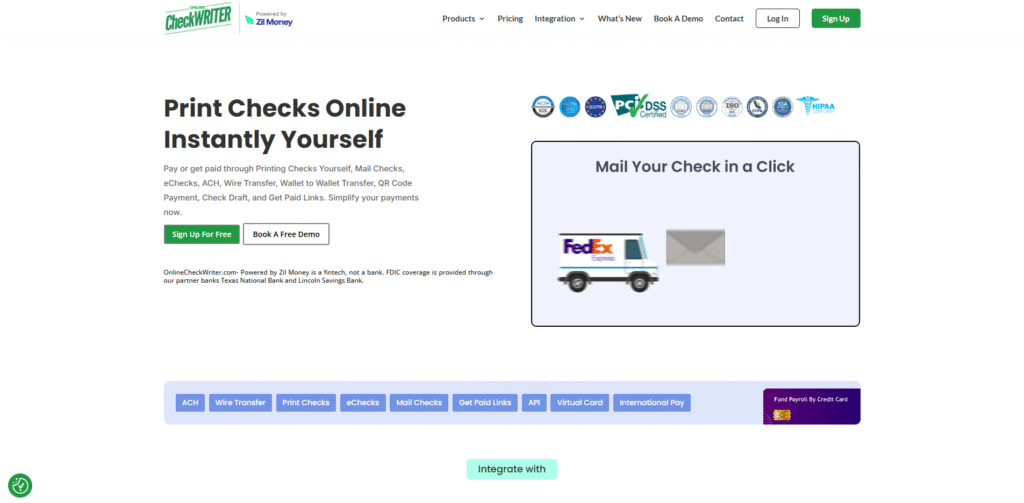
Forget expensive check stock and manual printing. With OnlineCheckWriter, you can design, print, or mail checks directly from your computer or mobile device. The system automatically formats checks according to your bank’s standards, and you can even use blank check paper to save costs.
Multiple Payment Options in One Platform
The platform supports ACH transfers, wire transfers, credit cards, digital checks, and wallet payments — giving you the flexibility to pay vendors or employees however they prefer. This makes it a truly all-in-one business payment solution.
Integration with 22,000+ Banks & Accounting Platforms
OnlineCheckWriter connects directly with over 22,000 financial institutions and integrates seamlessly with QuickBooks, Xero, Zoho, and Gusto. This ensures smooth data synchronization and eliminates double entries.
Advanced Security & Fraud Prevention
Security is at the core of the system. The platform offers Positive Pay integration, multi-layer verification, and end-to-end encryption to prevent fraudulent transactions — a must-have for businesses managing large volumes of payments.
Team Collaboration & Role Management
You can assign custom roles and permissions to your team, ensuring that accountants, managers, and owners have the right access levels. Every action is logged, giving full visibility over who did what and when.
Cross-Border Payments & Multi-Currency Support
For global businesses, OnlineCheckWriter supports international payments and currency management — helping reduce conversion fees while maintaining compliance.
Mobile App Convenience
The platform’s mobile app allows you to create, sign, and send checks or payments on the go. Whether you’re traveling or working remotely, your financial operations stay within reach.
Ideal Users / Use Cases
OnlineCheckWriter is versatile enough to serve various users:
- Small Businesses & Startups: Simplify payments without hiring a full-time accountant.
- Freelancers & Consultants: Get paid faster and manage multiple clients with ease.
- Medium & Large Enterprises: Automate bulk payments, payrolls, and vendor management.
- Nonprofits: Manage donor funds and distribute checks securely.
- Finance Teams & Bookkeepers: Centralize operations and reduce human error.
In short, if your business deals with multiple payments across different platforms or banks, OnlineCheckWriter is built for you.
How It Works
The process is straightforward and user-friendly:
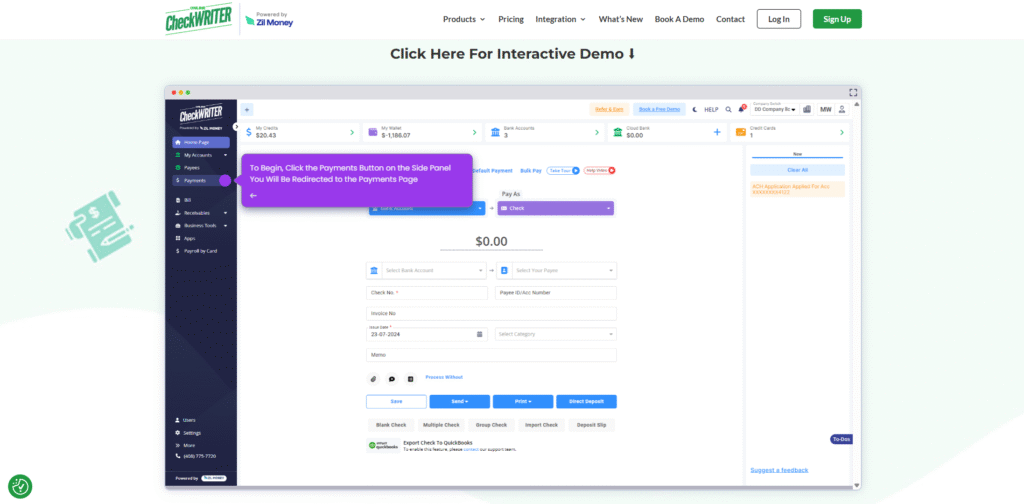
Sign Up & Connect Accounts: Create an account and connect your existing bank(s). The platform uses encrypted connections to ensure data safety.
Add Payees & Set Payment Preferences: Upload vendor or client details manually or import them via accounting software.
Create Payments: Choose your payment type — check, ACH, wire, or credit card. You can even upload check templates for branding.
Approve & Send: Once approved, payments are instantly processed or scheduled. You can print or mail checks using OnlineCheckWriter’s cloud mailing service.
Track & Reconcile: View all transactions in real time, categorize expenses, and generate reports instantly.
In essence, OnlineCheckWriter automates 80% of your manual finance work, giving you back hours every week.
Pricing
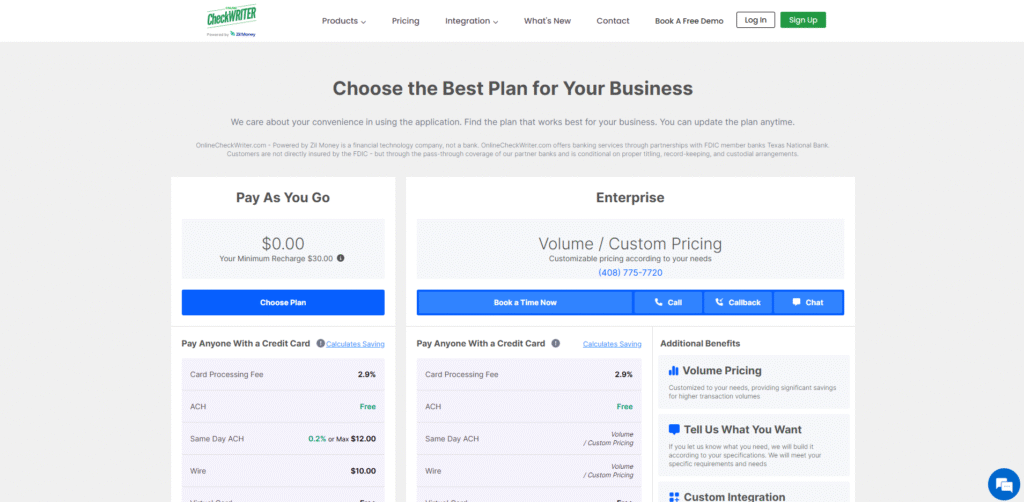
OnlineCheckWriter offers flexible pricing designed for both individuals and businesses:
- Free Plan: Ideal for personal or small-scale use. Includes check creation, print, and basic integrations.
- Business Plan: Starting at around $9.99/month, includes advanced payment options, team access, and integration features.
- Enterprise & Custom Plans: Tailored for companies with high payment volumes or specific compliance requirements.
All plans come with unlimited free check printing, and users can test the platform through a free trial before committing.
Pros & Cons
Pros
Using OnlineCheckWriter feels like upgrading from manual bookkeeping to a smart, automated financial assistant. The biggest advantage is its centralization — all your banks, vendors, and payment methods in one dashboard. The AI-driven automation saves time, while integrations with tools like QuickBooks reduce accounting headaches.
Cons
The platform’s wide range of features can feel overwhelming at first. Some advanced capabilities — like API-based automation — may require a short learning curve. Additionally, international users might face delays depending on local banking regulations.
That said, once you get comfortable with the interface, the overall experience is smooth, secure, and highly efficient.
FAQs
1. Is OnlineCheckWriter secure for handling business payments?
Yes. The platform uses bank-level encryption, Positive Pay integration, and multi-factor authentication to protect all financial data.
2. Can I use OnlineCheckWriter without special check paper?
Absolutely. You can print checks on blank white paper using any printer, thanks to the platform’s MICR-compatible design technology.
3. Does it work with QuickBooks or Xero?
Yes, it integrates seamlessly with major accounting software like QuickBooks, Xero, Zoho Books, and Gusto.
4. How long does it take to set up an account?
Most users are up and running in under 10 minutes. The onboarding process is guided and requires minimal setup.
5. Can I make international payments?
Yes, OnlineCheckWriter supports cross-border transactions through its ACH and wire transfer network.
Conclusion & Call-to-Action
If your business still relies on manual payments, spreadsheets, or disconnected systems, OnlineCheckWriter is a game-changer. It combines AI-driven automation, bank-level security, and unified payment management — empowering you to take full control of your financial operations.
Whether you’re a small business owner or managing a large corporate account, OnlineCheckWriter brings clarity, convenience, and confidence to every transaction.
Ready to simplify your business payments? Try OnlineCheckWriter today and experience the future of payment automation — secure, fast, and built for the modern business world.