I have been writing about tech and gaming hardware for over ten years, and if there is one trend I’ve noticed lately, it is the skyrocketing price of peripherals. It feels like you can’t get a decent controller nowadays without dropping nearly $70—or double that if you want “Pro” features. It’s frustrating.
That is why I’ve been keeping a close eye on EasySMX.
If you frequent gaming forums, you might have seen their name pop up as a “hidden gem” alternative. They position themselves as a brand that offers pro-level features—like mechanical buttons and Hall Effect sensors—at a fraction of the price of the big console manufacturers. But as a reviewer, I am always skeptical. Does “cheaper” mean “cheaply made”?
Over the last month, I swapped out my usual high-end gear and exclusively used EasySMX products for everything: from sweating it out in ranked matches on PC to relaxing with an RPG on my Switch, and even some cloud gaming on my phone.
Here is my deep dive into five of their standout products. If you are tired of stick drift and empty wallets, you’ll want to read this.
The Flagship Contender: EasySMX X10 Mechanic Master
Category: Wireless Controller (PC / Switch / Mobile)
The X10 is currently the crown jewel of the EasySMX lineup. It’s the controller that tries to say, “Anything the big guys can do, I can do better.”
My Real-World Experience
The first thing I tested was the “Hall Effect” joysticks. For those who don’t know, this uses magnets instead of physical contact to register movement, meaning they technically should never develop “stick drift” (that annoying thing where your character moves on their own).
I put this to the test in a precision platformer game where the slightest error means death. The responsiveness was incredible. The sticks feel incredibly smooth—almost frictionless. But the real surprise for me was the mechanical face buttons. Instead of the mushy rubber feel you get on standard console controllers, the A, B, X, and Y buttons click like a mouse or a mechanical keyboard. It’s a snappy, tactile feedback that makes button mashing in action games feel very satisfying.
The grip texture is distinct—it has a laser-engraved pattern that prevented the controller from slipping even during a particularly tense boss fight where my hands were definitely sweating.
Pros
- Hall Effect Sensors: Both the joysticks and triggers use magnetic sensors, drastically increasing durability and precision.
- Mechanical Buttons: The tactile “click” allows for faster actuation, which is great for competitive gaming.
- Customizable RGB: The lighting isn’t just a gimmick; it looks premium and can be adjusted to your taste.
- Triple Connectivity: Seamless switching between 2.4G dongle, Bluetooth, and Wired mode.
Cons
- D-Pad Feel: While the face buttons are mechanical, the D-Pad feels a bit stiffer than I prefer for fighting games.
- Software Curve: The app to customize the back buttons and macros is functional but not the most intuitive I’ve ever used.
Who is this for?
The X10 is for the hardcore gamer on a budget. If you are terrified of stick drift and want a “Pro” controller feel with back paddles and mechanical clicks, but you refuse to pay triple digits, this is your best bet.
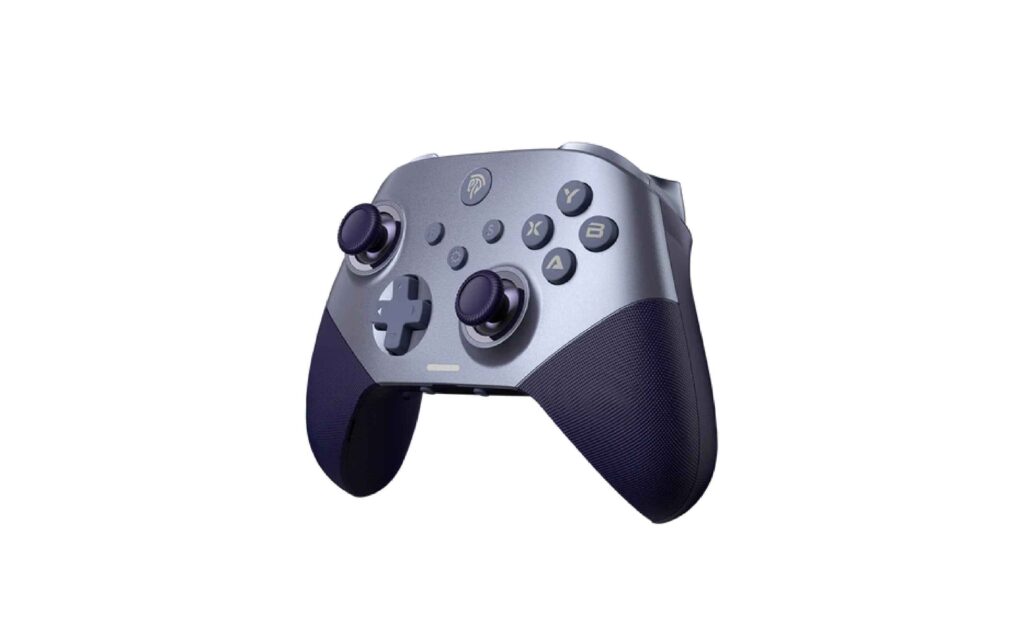
The Switch Specialist: EasySMX 9124 Pro
Category: Wireless Controller (Switch / PC / Mobile)
While the X10 is a beast for PC, the 9124 Pro seems clearly designed with the Nintendo Switch user in mind, though it works on other platforms too.
My Real-World Experience
I connected this to my Switch to play a long adventure RPG. The first thing I noticed was the “Wake-up” function. Many third-party controllers require you to turn on the console manually, but the 9124 Pro wakes up the Switch with one button press, just like the official gear. It’s a small quality-of-life feature, but I miss it when it’s not there.
The ergonomics are very comfortable. It has a slightly rubberized matte finish that feels soft to the touch, which is a nice departure from hard, glossy plastic.
The motion controls (gyro) were surprisingly accurate. I used them for aiming a bow and arrow in-game, and I didn’t experience that jittery lag that often plagues budget controllers. The programmable back buttons (M1 and M2) are located right where your middle fingers rest. I mapped the “sprint” button to the back paddle, and it saved my thumb a lot of fatigue during long play sessions.
Pros
- One-Key Wake Up: Essential for Switch users who play in docked mode.
- Hall Effect Joysticks: Yes, even at this price point, they included anti-drift sticks.
- Battery Life: I got roughly 15-18 hours of play on a single charge, which is very respectable.
- Aesthetic: The translucent black cover with the subtle under-glow looks very sleek.
Cons
- Trigger Travel: The triggers are linear (good for racing) but for shooting games on Switch, the travel distance felt a bit long.
- Vibration: The rumble is powerful—almost too powerful at 100%. I had to turn it down to the lowest setting to stop it from rattling on my desk.
Who is this for?
This is the perfect replacement for the Joy-Con grip. If you find the standard Joy-Cons too small and crampy for your hands, the 9124 Pro offers the comfort of a full-sized controller without the premium price tag of the official Pro Controller.
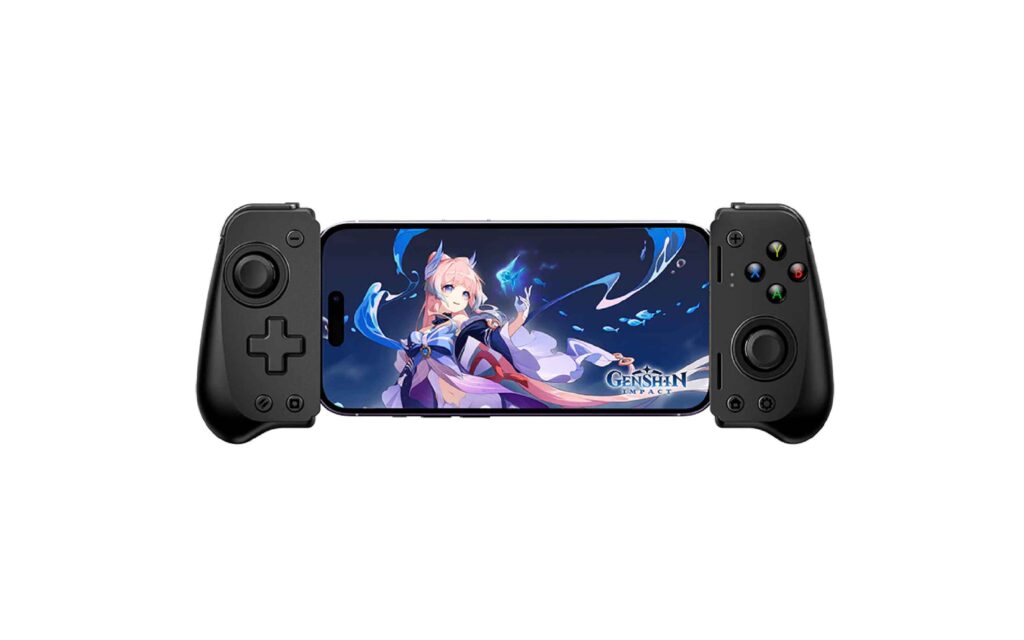
The Mobile Transformer: EasySMX M10
Category: Mobile Gaming Controller (iOS / Android)
Mobile gaming isn’t just about Candy Crush anymore. With cloud gaming services and high-end emulators, phones are legitimate consoles. The M10 is designed to turn your phone into a handheld gaming device.
My Real-World Experience
The M10 uses a telescopic design—you stretch it out and clamp your phone in the middle. I tested this with an Android phone playing a fast-paced racing game via cloud streaming.
The connection is direct via the lightning or USB-C port (depending on your model), which means there is zero latency. Bluetooth controllers sometimes have a split-second delay, but the M10 felt instantaneous.
The layout is very compact. The analog sticks are smaller, similar to what you find on the Switch. What impressed me was the pass-through charging. I could plug my charger into the controller, and it would charge my phone while I played.
However, the standout feature for me was the clickiness of the shoulder buttons. They have a nice, sharp feedback. It made playing first-person shooters on a phone actually viable, which is impossible with touchscreen controls.
Pros
- Zero Latency: Direct plug-in connection ensures your inputs are registered instantly.
- Pass-Through Charging: You never have to stop playing because your phone battery is low.
- Universal Fit: The spring mechanism is strong and accommodated my phone even with a thin case on (though I had to remove a bulky rugged case).
- Portability: It collapses down small enough to fit in a jacket pocket easily.
Cons
- Case Compatibility: As mentioned, if you have a very thick protective case like an Otterbox, you will have to take it off to use this.
- No Headphone Jack: It relies on your phone’s audio or Bluetooth headphones; there is no 3.5mm jack on the controller itself.
Who is this for?
The M10 is for the commuter or cloud gamer. If you spend a lot of time on trains or buses and want to play Game Pass or GeForce Now on your phone, this device completely changes the experience from frustrating to fantastic.
The Stylish Compact: EasySMX X05
Category: Wireless Controller (Switch / PC / Android / iOS)
The X05 caught my eye because of its design. It doesn’t look like a standard black brick. It has a futuristic, almost cyberpunk aesthetic with a prominent RGB ring.
My Real-World Experience
When I held the X05, I noticed it is slightly smaller than the X10. It fits very snugly in the hand. I handed it to my partner, who has smaller hands, and she immediately preferred this over the bulkier controllers.
Performance-wise, it still packs the Hall Effect joysticks (EasySMX seems committed to this tech, which is great). The “Ceramic White” version I looked at features a really cool RGB lighting effect that diffuses through the body.
I tested this primarily on a tablet and PC via Bluetooth. Pairing was fast. The buttons have a “soft-tactile” feel—not as loud as the mechanical X10, but not mushy. It’s a nice middle ground. The vibration motor is surprisingly nuanced; you can feel subtle rumbles rather than just one giant shake.
One unique thing: you can adjust the sensitivity of the joysticks on the fly using button combinations without needing software. This was super handy when switching from a racing game to a shooter.
Pros
- Visual Appeal: It is arguably the best-looking controller in their lineup with its vibrant RGB options.
- Compact Ergonomics: Perfect for teenagers or adults with average-to-small hands.
- Hall Effect Tech: High durability and precision in a smaller package.
- Multi-Mode Vibration: Offers 5 levels of vibration intensity.
Cons
- Back Buttons: Unlike the X10 or 9124 Pro, this model does not have rear paddle buttons. If you rely on those for competitive play, you will miss them.
- Battery: Due to the heavy RGB lighting, the battery drains a bit faster if you keep the lights at max brightness.
Who is this for?
The X05 is for the casual gamer who values aesthetics and comfort. It’s a fantastic secondary controller for guests or a primary controller for someone who finds standard Xbox-style controllers a bit too bulky.
The Reliable Workhorse: EasySMX ESM-9110
Category: Wireless Gamepad (PC / PS3 / Android)
The ESM-9110 is one of their older, classic models, but it remains a best-seller for a reason. I wanted to review this to see if the “old guard” still holds up against the newer tech.
My Real-World Experience
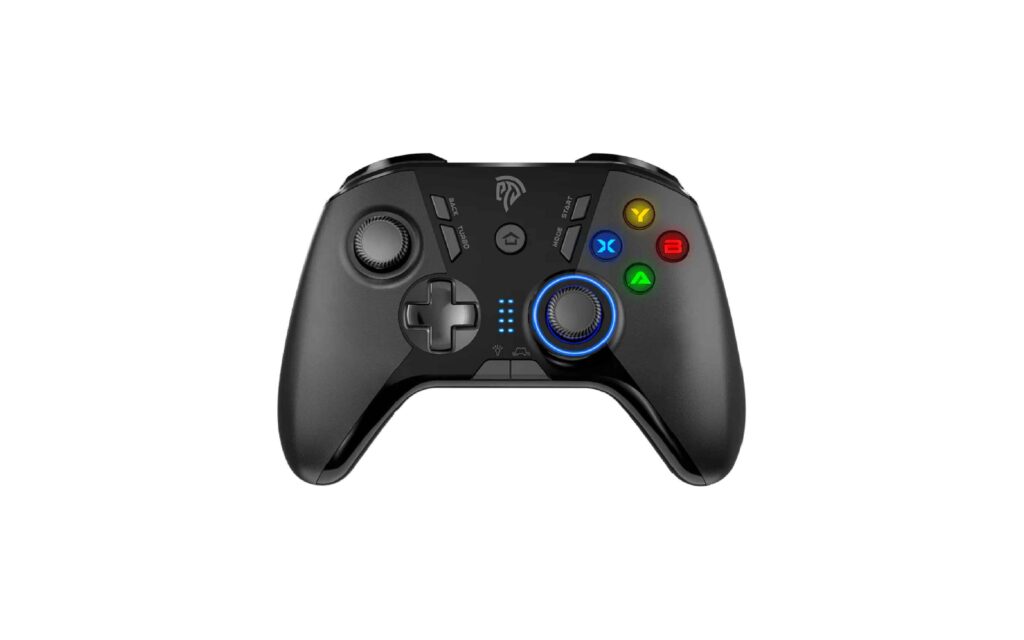
Picking up the 9110 feels familiar. It has the classic Xbox 360-style shape that fits universally well in most hands. It doesn’t have the Hall Effect sticks of its younger brothers, but it feels incredibly sturdy.
I used this controller strictly for PC gaming using the 2.4G USB dongle. The connection is rock solid. I didn’t experience a single dropout in hours of gameplay. The textured grip on the sides is actually rubber, not just textured plastic, which provides excellent friction.
It features four programmable buttons on the back. For a controller that is often priced as an entry-level unit, having four macro buttons is insane value. I set them up for reloading and healing in an RPG, and they worked flawlessly.
The vibration feedback is asymmetric, meaning the left and right sides rumble differently to simulate different impacts (like a car hitting a wall on the left side).
Pros
- Value King: It usually comes in at a very low price point while offering wireless connectivity.
- Physical Grips: The rubberized side grips are excellent for sweaty hands.
- 4 Back Paddles: Offers more customization options than many expensive controllers.
- Adjustable LED: You can adjust the brightness of the ABXY buttons, which is nice for playing in the dark.
Cons
- Old Tech: It uses standard potentiometers for sticks (not Hall Effect), so it may eventually develop drift after years of heavy use.
- Charging: It still uses micro-USB on some older batches (though newer ones are moving to Type-C, it’s worth checking).
- Design: It looks a bit “gamery” in a slightly dated way compared to the sleek X10 or X05.
Who is this for?
The ESM-9110 is for the pure value seeker. If you just need a controller that works, feels good, has back buttons, and costs less than a new video game, this is the reliable choice that won’t let you down.
Conclusion: Is EasySMX the Real Deal?
After spending weeks with this hardware, my skepticism has largely vanished. EasySMX isn’t trying to be a luxury brand; they are trying to be the smart brand.
They have democratized features that used to be exclusive to “Elite” controllers. A few years ago, Hall Effect sensors and mechanical buttons were reserved for $150+ equipment. EasySMX has put them into controllers that are accessible to everyone.
My Verdict:
- For the Pro: Go with the X10 Mechanic Master. It is a legitimate competitor to high-end controllers.
- For the Switch Lover: The 9124 Pro is a no-brainer.
- For the Mobile Gamer: The M10 is essential.
If you are tired of paying a premium just for a logo, EasySMX offers a refreshing alternative: solid build quality, advanced features, and a price tag that leaves you enough money to actually buy the games you want to play.
Disclaimer: This review is based on my hands-on testing of products listed on the EasySMX website. Features and specifications are accurate at the time of writing.