If you’ve ever juggled multiple AI subscriptions, lost context between tools, or watched costs climb without clear visibility, you’re not alone. I spent weeks testing Nexos AI, an all-in-one AI platform designed for smarter adoption of large language models. What started as curiosity quickly turned into daily reliance. This Nexos AI review shares my real experience using the platform for research, content work, workflow automation, and team-style collaboration—so you can decide whether it fits your needs.
Overview of the Product
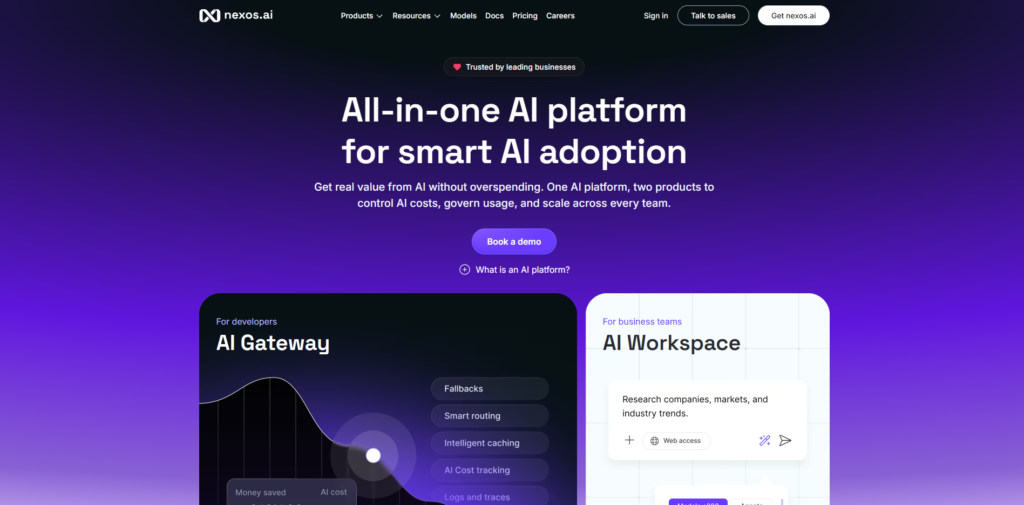
Nexos AI is a unified AI platform built for both business teams and developers. It combines two core products: the AI Workspace for everyday users and the AI Gateway for technical teams. Instead of locking you into a single model provider, it gives access to more than 200 models from leading sources, including the latest versions of GPT, Claude, Gemini, and many others.The platform’s goal is clear: help organizations move beyond scattered chatbots and uncontrolled “shadow AI.” It focuses on cost control, governance, security, and practical productivity.
Founded by experienced entrepreneurs with backgrounds in high-scale technology companies, Nexos AI emphasizes European hosting, strong compliance (SOC 2, ISO certifications, GDPR), and a policy of not training models on your data by default.In practice, I found it functions less like a simple chatbot and more like infrastructure for AI work. You can chat across models, build no-code agents, maintain project memory, generate files, and route API traffic—all under one roof with full visibility into usage and spend.
Key Features & Benefits
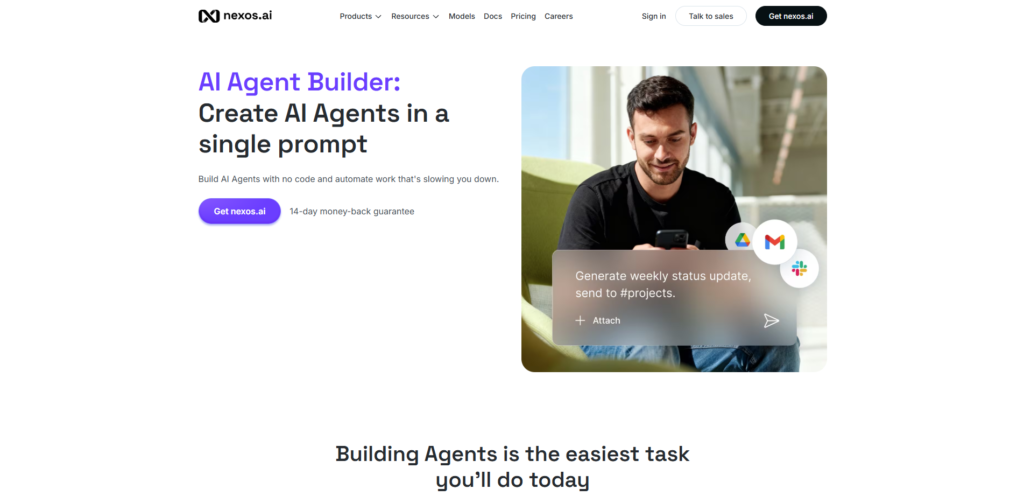
The standout strength of Nexos AI is how it brings multiple capabilities together without forcing trade-offs.The AI Workspace centers on a powerful multi-model chat interface. You can switch models mid-conversation, compare outputs side by side, run real-time web search with sources, and use Deep Research to turn complex questions into structured reports. File generation—documents, slide decks, and more—happens directly from prompts. Memory and preferences carry across sessions, reducing the need to re-explain context.No-code AI Agents proved especially valuable in my testing.
Templates cover common needs in marketing, sales, HR, legal, and operations. I customized agents for research summaries, content reviews, and structured feedback. Connecting them to internal knowledge or tools (such as Google Drive, Slack, or SharePoint equivalents) made outputs far more relevant than generic responses. An approval step before certain actions kept me in control.Projects act as a memory layer. Uploading files, notes, and prior conversations creates a shared knowledge base that persists even when switching models. This solved one of my biggest frustrations with standalone tools: starting from zero every time.On the technical side, the AI Gateway provides a single OpenAI-compatible API endpoint. Smart routing sends each request to an appropriate model based on cost, quality, and latency.
Automatic fallbacks handle provider issues. Intelligent caching, budgets, hard caps, API key management, and real-time observability give genuine control over spend and usage. In my tests, repeated similar prompts clearly reduced token costs.Security features stood out consistently: European hosting options, zero data retention where available, SSO and role-based access, and detailed audit logs. These elements made me comfortable testing with real documents and workflows.Overall benefits I experienced included fewer tool switches, better cost predictability, stronger governance, and measurable time savings on repetitive tasks. Teams using the platform have reported similar gains—catalog optimization, candidate evaluation, legal FAQs, and sales research—at a fraction of previous effort or cost.
Ideal Users / Use Cases
Nexos AI suits several clear groups.Business and knowledge workers benefit most from the Workspace. Marketers can draft content, generate campaigns, and review materials faster. Sales teams gain from prospect research, outreach drafting, and call summarization. HR and talent teams use agents for candidate evaluation and feedback. Legal and operations staff automate routine questions and document handling. Content creators and researchers appreciate multi-model comparison and Deep Research.Developers and engineering teams find the AI Gateway practical for production applications. It simplifies multi-model integration, provides cost controls, and delivers observability without heavy custom infrastructure.
Product teams building AI features can route traffic intelligently and avoid vendor lock-in.Growing companies and enterprises that want organization-wide AI adoption without chaos will appreciate the governance layer—permissions, budgets, usage tracking, and policy enforcement. Individuals or small teams who currently pay for several separate AI subscriptions can consolidate and often reduce overall spend.It is less ideal for users who only need occasional light chat with a single model and have no interest in agents, projects, or cost visibility.
How It Works
Getting started felt straightforward. After signing up, the Workspace presents a clean chat interface with model selection (including auto-select). You type a prompt, optionally enable web search or Deep Research, and receive responses. Switching models or comparing outputs happens with a few clicks. Uploading files or connecting tools adds context immediately.To build an agent, you choose a template or start from scratch, define the role and instructions, attach knowledge sources, and set any required approvals. Once configured, the agent runs on demand or as part of a workflow. Projects organize ongoing work: create a space, add files and previous chats, then continue with full context preserved.
For the Gateway, developers integrate via a single endpoint. Requests flow through smart routing and caching. Dashboards show usage, costs, and performance in real time. Admins set budgets, manage keys, and apply policies from a central control plane.In daily use, the platform felt cohesive. I moved between chat, agents, and projects without losing momentum. Integrations brought external context into conversations, and the approval gates prevented unwanted autonomous actions. Observability made it easy to understand where time and money were going.
Pricing
Nexos AI uses flexible plans aimed at individuals, teams, and enterprises. A common entry option is a monthly plan priced around $39 that includes access to 200+ models, unlimited AI Agents, a monthly credit allowance (often listed as 1,000 credits), tool connections, and file generation features. Annual billing typically offers meaningful discounts. A 14-day money-back guarantee applies to standard plans.The AI Gateway side often operates on a pay-as-you-go model with a platform fee (commonly around 5%) added to underlying model costs. This includes routing, caching, observability, and governance.
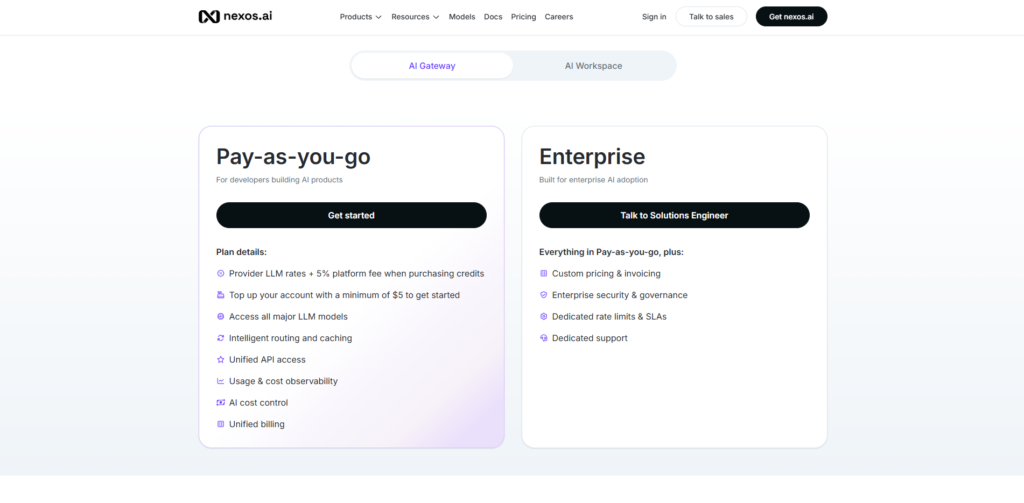
Bring-your-own-key options exist or are rolling out for users who already have provider agreements.Enterprise plans are custom. They add advanced security (SSO/SAML, RBAC, audit logs), dedicated rate limits or SLAs, invoicing, and dedicated support. Pricing depends on team size, usage volume, and specific requirements. There is generally no long-term lock-in for standard plans, and credits can be topped up as needed.Overall, the structure rewards consolidation: one subscription can replace several separate AI tools while adding cost controls that pure chat products often lack.
Pros & Cons
In my experience, the advantages of Nexos AI are substantial. Access to a wide range of models through one interface eliminates the friction of multiple logins and subscriptions. Smart routing and caching deliver real cost savings without requiring constant manual intervention. No-code agents and Projects turn repetitive work into something more automated and continuous. Security and compliance features provide peace of mind that consumer tools rarely match. Full observability and governance make it suitable for team or company-wide rollout. The combination of Workspace and Gateway means both non-technical and technical users can work within the same ecosystem.There are limitations worth noting.
The full value appears most clearly once you move beyond basic chat—agents, projects, and cost controls need some initial setup. Very light individual users who only need occasional simple queries may find the feature set more than necessary. Credit systems and model rate limits (common across platforms) require monitoring during heavy use. While the interface is generally clean, exploring every advanced control takes a short learning period. Enterprise features, as expected, require conversation with the sales team rather than instant self-serve activation.These drawbacks feel manageable for the intended audience. The platform is clearly designed for people and teams who want to use AI seriously rather than casually.
FAQs
Is Nexos AI better than using ChatGPT, Claude, or Gemini separately?
For many users, yes. A single subscription provides access to multiple leading models plus agents, project memory, cost controls, and integrations. You avoid juggling accounts and gain visibility that standalone tools typically lack.
Can I build AI agents without coding experience?
Yes. The no-code builder and pre-built templates make it accessible. You define roles, attach knowledge, and set guardrails. More complex workflows still benefit from clear instructions, but technical skills are not required.
How does Nexos AI handle data privacy and security?
Data is not used for model training by default. European hosting options, zero-retention settings where available, SSO, role-based access, and certifications (SOC 2, ISO, GDPR compliance) form a strong foundation. Audit logs support internal oversight.
Does the platform support both business users and developers?
Absolutely. The Workspace serves teams and individuals with chat, agents, and collaboration tools. The AI Gateway gives developers a unified, controllable API layer for production applications.
Is there a free trial or money-back guarantee?
Standard plans include a 14-day money-back guarantee. This allows practical testing of models, agents, and core workflows with limited risk.
Conclusion & Call-to-Action
After extended hands-on use, Nexos AI stands out as a practical all-in-one AI platform for the current stage of AI adoption. It addresses real problems—tool fragmentation, unpredictable costs, lost context, and weak governance—while delivering tools that improve daily productivity. Whether you need multi-model chat, automated agents, project continuity, or a reliable API gateway, the platform brings these capabilities together under clear controls and solid security.
If you are currently managing several AI subscriptions, struggling with visibility, or looking to scale AI use across a team without chaos, Nexos AI deserves serious consideration. The combination of flexibility, cost awareness, and practical features makes it one of the more complete solutions available today.
Ready to experience the difference yourself? Start with the Workspace or Gateway, take advantage of the money-back period, and see how consolidating your AI work under one platform changes your results. Visit Nexos AI through the link below and begin building smarter workflows today—your future self (and your budget) will thank you.