In the fast-paced world of digital product design, the smallest details often make the biggest impact. We have all been there: you are building a sleek SaaS dashboard or a high-converting landing page, and you suddenly realize your icon set is incomplete. You need a specific “neural network” icon for an AI feature, but your free pack only has a generic “brain.” So, you download a different SVG from a random site. Suddenly, your UI looks disjointed—inconsistent line weights, varying corner radiuses, and a lack of visual harmony.
This is the “Frankenstein UI” problem, and it kills design credibility.
Enter Hugeicons Pro. It claims to be not just an icon pack, but a comprehensive design system bridge between Figma and code. But with heavyweights like FontAwesome and Untitled UI already on the market, does Hugeicons offer enough value to justify the price tag?
In this in-depth review, I will walk you through my experience using Hugeicons Pro. We will analyze its library depth, the efficiency of its Figma plugin, its developer experience (DX), and ultimately determine if it’s the right asset for your next project.
Overview of Hugeicons Pro
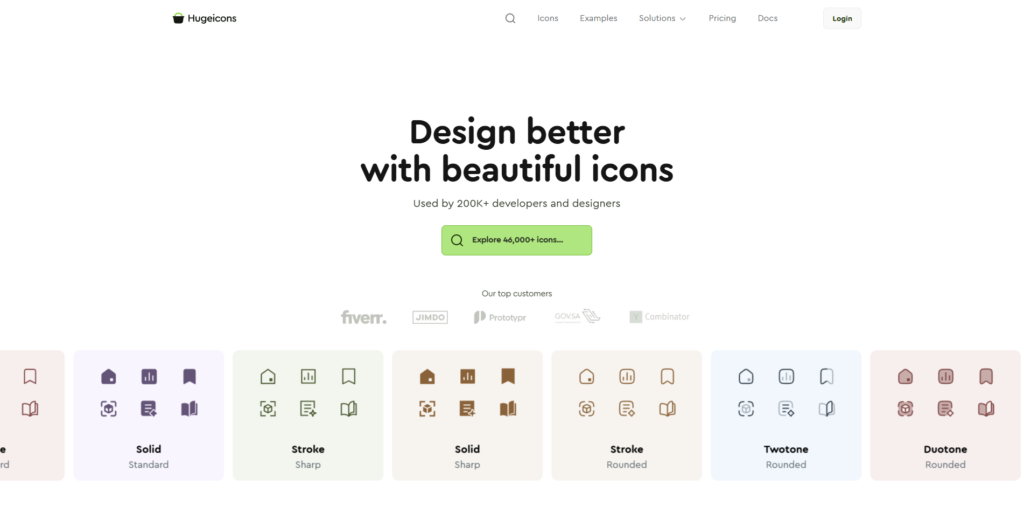
Hugeicons is a massive, professionally crafted icon library designed specifically for modern UI/UX designers, frontend developers, and agencies. Unlike traditional packs that offer a static zip file of SVGs, Hugeicons operates as a dynamic ecosystem.
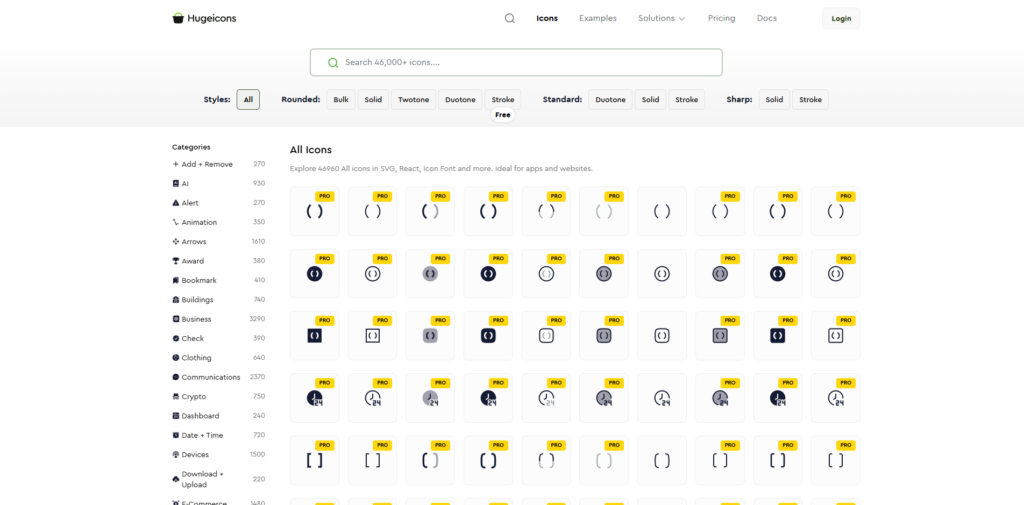
At its core, it offers access to over 27,000+ icons (and growing daily), meticulously designed on a 24px grid. But the real value proposition lies in its versatility. It doesn’t just offer one “style.” It provides multiple distinct styles—ranging from the standard “stroke” to “duotone” and “bulk”—allowing you to adapt the visual language of the icons to fit your specific brand identity without switching libraries.
For the SaaS and AI sector specifically, this tool is a game-changer because of its extensive coverage of modern tech categories. Whether you are building a Web3 wallet, an AI prompt generator, or an e-commerce platform, Hugeicons likely has the specific semantic assets you need.
Key Features & Benefits
After using Hugeicons on three separate commercial projects (a marketing site and two React-based dashboards), here are the features that genuinely stand out.
Unmatched Library Consistency & Quality
The problem with massive libraries (like Flaticon) is often quantity over quality. You get a million icons, but they don’t look like they belong to the same family.
Hugeicons is different. Every single icon is crafted with the same stroke logic and geometric precision.
- The 24px Grid: Every asset is built on a standard 24px grid, ensuring they scale perfectly without pixelation or blurring on low-res screens.
- Stroke Customization: The icons maintain visual weight consistency. If you set a 1.5px stroke in Figma, every icon follows that rule.
- Curved & Sharp Variants: You aren’t locked into one look. If your brand is friendly and approachable, you use the Rounded style. If your brand is a serious fintech platform, you switch to the Sharp style.
The “Magical” Figma Plugin
For designers, time is money. The Hugeicons Figma Plugin is arguably the strongest feature of the entire product. It completely removes the need to download SVGs, drag them into Figma, and resize them.
- Drag and Drop: You open the plugin, search for “analytics,” and drag the icon directly into your frame.
- Instance Swapping: This is a productivity hack. If you have a button component with a “Right Arrow” icon, you can select it and use the plugin to instantly swap it for a “Download” icon while preserving the color and size constraints of the original component.
- Live Editing: You can adjust the stroke width and corner radius globally within the plugin before importing, saving you from manually tweaking vectors.
Developer-First Architecture (React, Vue, Flutter)
Most icon packs treat developers as an afterthought. Hugeicons takes a “Dev-First” approach. They provide official NPM packages for major frameworks, including React, Vue, and React Native.
Why does this matter?
- Tree-Shaking: The packages are optimized so that when you build your app, only the icons you actually use are bundled. This keeps your application fast and lightweight.
- Prop-Based Customization: Instead of messing with SVG code, developers can use components. For example: <IconName size={24} color=”primary” variant=”stroke” />. This makes maintaining a consistent design system in code incredibly easy.
Specialized Categories for Modern Tech
This is a huge selling point for anyone in the AI and Tech space. Hugeicons has dedicated categories for:
- Artificial Intelligence: Brains, neural nodes, sparks, bots.
- Crypto & Web3: Bitcoin, Ethereum, wallets, tokens.
- Editor & Coding: Git branches, terminal commands, code brackets.
You don’t have to “hack” a generic icon to represent these concepts; the library has them natively.
Ideal Users / Use Cases
Who should actually pay for this?
1. UI/UX Designers & Freelancers
If you juggle multiple clients, Hugeicons is a lifesaver. You can use the “Stroke” style for Client A (a healthcare app) and the “Duotone” style for Client B (a playful marketing site) while using the exact same search terms and workflow. It acts as your personal design system assistant.
2. Frontend Developers & Engineers
If you hate downloading SVGs, running them through an optimizer, and pasting messy code into your HTML, this tool is for you. The NPM packages allow you to focus on logic rather than asset management. It bridges the gap between the design file and the production code.
3. Agencies and Startups
For teams building MVPs (Minimum Viable Products), speed is everything. Hugeicons allows you to achieve a “Premium SaaS” look instantly. You don’t need to hire an illustrator to draw custom icons; you just plug this library in, and your app looks like it raised a Series A round.
How It Works: A Real-World Workflow
To show you why this tool is valuable, let me walk you through a typical workflow using Hugeicons.
Step 1: Discovery & Selection
Imagine you are designing a navigation bar for a new project. You open Figma, launch the Hugeicons Pro plugin, and search for “Dashboard,” “User,” “Settings,” and “Wallet.”
Step 2: Customization (The Designer’s Job)
You realize the default icons are a bit too sharp for your brand. Inside the plugin, you adjust the “Corner Radius” slider to 3px to give them a softer, friendlier look. You also set the stroke width to 1.5px to match your typography. You drag them into your layout.
Step 3: Handoff (The Developer’s Job)
You hand the design to the developer. Instead of exporting assets, the developer installs the library via terminal: npm install @hugeicons/react-pro
Step 4: Implementation
The developer looks at your Figma file, sees the “Wallet” icon, and simply types: import { WalletIcon } from ‘@hugeicons/react-pro’; <WalletIcon size={24} color=”#333″ />
The result is a pixel-perfect match between design and code, achieved in seconds.
Pricing
Hugeicons offers a transparent pricing structure that is quite competitive compared to similar high-end libraries.
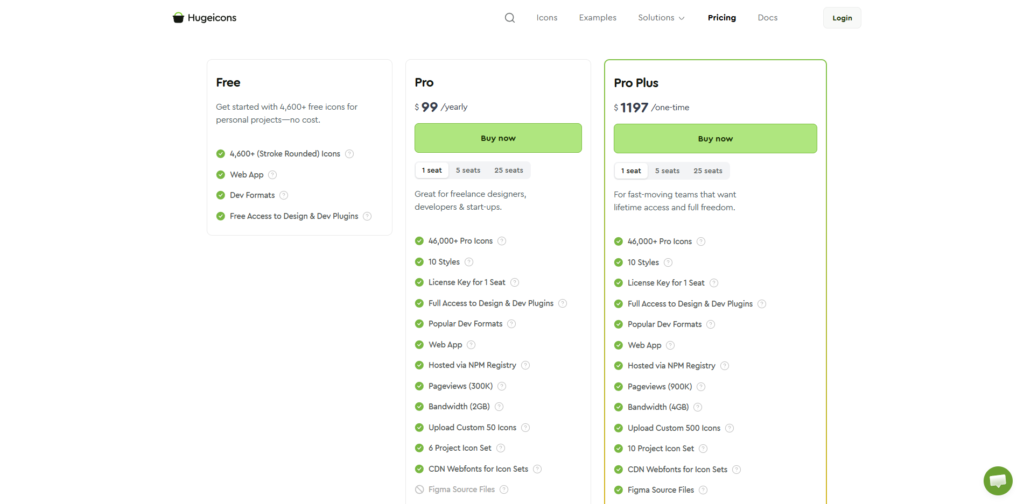
- The Free Tier: They offer a very generous Free Plan which includes thousands of essential icons. This is perfect for personal projects or testing the quality of the vectors before committing. It is open-source friendly, which is a nice touch.
- Hugeicons Pro (Subscription): For approximately $99/year, you get access to the full library of 27,000+ icons, all 5+ unique styles, and unlimited use of the Figma plugin. This is ideal for freelancers who want low upfront costs.
- The Lifetime Access (Best Value): This is where the real value lies for agencies. For a one-time fee (often discounted), you get lifetime access to the library, including all future updates. If you plan to be a designer for more than two years, this pays for itself very quickly.
Note: Prices fluctuate based on promotions, so I recommend clicking the link below to check the current deal.
Pros & Cons
To be completely honest in this review, here is what I loved and what could be improved.
The Pros:
- Incredible Variety: The sheer number of icons means you rarely need to look elsewhere.
- Developer Experience: The React/Vue integration is smooth and professional.
- Five Distinct Styles: The ability to switch between standard stroke, two-tone, and solid bulk styles adds massive versatility.
- Search Algorithm: The search function actually works. It understands synonyms (e.g., searching “money” brings up coins, cash, wallets, and cards).
- Cost-Effective Lifetime Deal: Avoiding a monthly subscription is a huge plus for freelancers.
The Cons:
- Overwhelming for Beginners: With 27,000 icons, decision paralysis is real. Beginners might struggle to choose the right style consistency.
- Figma Plugin Reliance: To get the most out of the customization (stroke width editing), you really need to use the Figma plugin. If you use Adobe XD or Sketch, the experience is good but not as magical.
- Niche Categories: While tech is well-covered, some hyper-specific traditional industries (like heavy agriculture or specific medical machinery) might still need custom icons.
FAQs
1. Can I use Hugeicons for client commercial projects?
Yes, absolutely. The Hugeicons Pro license is designed for commercial use. You can use these icons in unlimited client websites, apps, and SaaS products. The only thing you cannot do is repackage the icons and resell them as your own library.
2. How often is the library updated?
The team behind Hugeicons is very active. They release updates almost weekly, adding new icons based on user requests and trending topics (like new social media logos or AI concepts).
3. Does it work with Tailwind CSS?
Yes. Since the React/Vue components accept standard className props, you can easily style them using Tailwind. For example: <HomeIcon className=”w-6 h-6 text-blue-500″ /> works perfectly.
4. Is the Lifetime deal really “Lifetime”?
Yes. Once you pay the one-time fee, you get access to the current library plus all future updates without ever paying another cent. This is a rare offer in the current subscription-heavy SaaS market.
Conclusion & Call-to-Action
After thoroughly testing Hugeicons Pro, my verdict is clear: this is currently one of the top three icon systems available on the market, sitting comfortably alongside FontAwesome Pro and Untitled UI.
It excels because it understands that modern design is a collaboration between designers and developers. By solving the workflow friction between Figma and React/Vue, it saves hours of tedious work. If you value your time and want your projects to look world-class, the investment is negligible compared to the value it provides.
For freelancers, the Lifetime Access is a no-brainer. It is a “buy once, use forever” asset that will upgrade every project you touch for the next decade.
Ready to stop hunting for icons and start designing?
Click here to explore the Hugeicons Library and get Lifetime Access