If you have been experimenting with AI video tools over the last few years, you likely share my biggest frustration: consistency. Most tools are fantastic at generating stunning 5-second clips, but the moment you try to string them together into a story, your main character suddenly changes clothes, facial structure, or even ethnicity.
For content creators—especially those running “faceless” YouTube channels—this is a dealbreaker.
Enter VideoInu. I’ve spent the last month testing this platform, and it claims to solve the two biggest headaches in the industry: character consistency and video length. Instead of disjointed clips, VideoInu promises coherent, animated episodes up to 30 minutes long.
But does it live up to the hype? In this VideoInu review, I’ll break down its features, pricing, and whether it’s worth your investment in 2026.
Overview: What is VideoInu?
VideoInu is an AI-powered video generation platform designed specifically for storytellers. unlike generalist tools that focus on “text-to-video” for B-roll or stock footage, VideoInu is built to create narrative content.
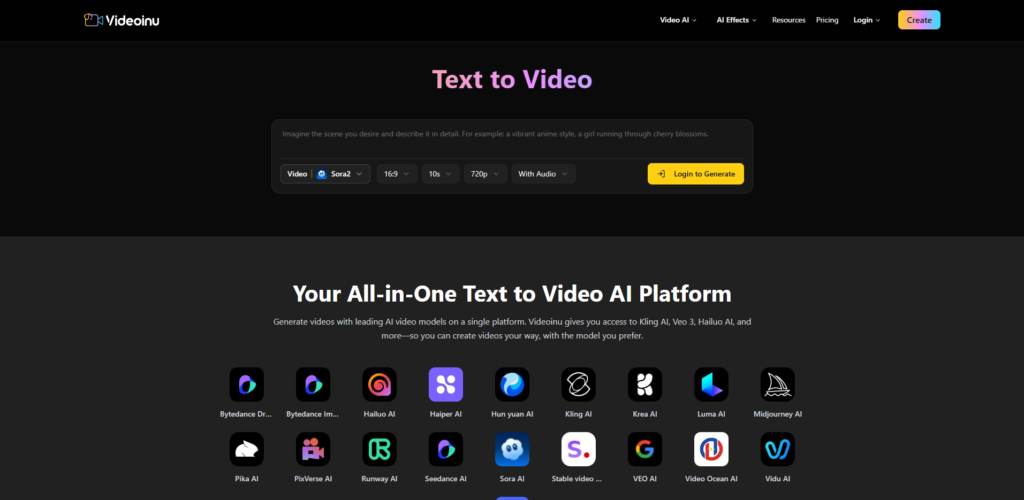
It aggregates powerful underlying models (wrapping technologies similar to Sora, Kling, and Stable Video Diffusion) into a user-friendly interface that prioritizes Script-to-Video automation. Its core promise is simple: turn a text script into a fully animated, long-form video where characters look the same from Scene 1 to Scene 50.
Whether you are making children’s animation, horror stories, or marketing explainer videos, VideoInu positions itself as an “all-in-one” studio.

Key Features & Benefits
After testing the dashboard extensively, here are the standout features that separate VideoInu from competitors like Runway or Pika.
Unmatched Character Consistency (The “Referencing” System)
This is the platform’s “killer app.” VideoInu uses a tagging system (similar to referencing a user with “@”) to maintain character identity. Once you generate a character—let’s call him “Detective Jack”—you simply tag him in subsequent scenes. The AI remembers his trench coat, his beard, and his hat.
Benefit: You can finally create episodic content without your protagonist shapeshifting every 10 seconds.
Long-Form Video Generation (Up to 30 Minutes)
Most AI generators cap you at 4-10 seconds per generation. VideoInu is built for duration. It stitches scenes together seamlessly, allowing for the creation of 10, 20, or even 30-minute episodes.
Benefit: Perfect for YouTube retention. You can produce full stories rather than just YouTube Shorts.
Smart Script & Storyboard Mode
You don’t need to be a screenwriter. You can paste a rough idea into their “Smart Script” box, and the AI will expand it into a full script, divide it into scenes, and suggest visual prompts for each shot.
Benefit: drastically reduces pre-production time.
Multi-Model Access
VideoInu doesn’t rely on just one rendering engine. It seems to act as a hub, allowing users to leverage different strengths of various models (like using one model for realistic motion and another for 3D cartoon styles) within a single workflow.
Ideal Users: Who is VideoInu For?
This tool is not for everyone. If you just want a quick, trippy visual for a music video, other tools might be faster. However, VideoInu is the best choice for:
- Faceless YouTube Channels: Specifically those in the “Storytime,” “Kids Animation,” or “True Crime/Horror” niches. The ability to make long videos with consistent visuals is a goldmine here.
- Educational Content Creators: If you need to visualize history lessons or science concepts without hiring an animation studio.
- Affiliate Marketers: Creating review videos or problem/solution narratives to sell products without showing your face.
- Indie Storytellers: Writers who want to visualize their web novels or screenplays.
How It Works: The Workflow
Using VideoInu feels more like directing than prompting. Here is the typical workflow I experienced:
- Scripting: I input a prompt: “A cybernetic detective walking through a rainy neon city.” The Smart Script feature expanded this into a dialogue-heavy scene.
- Character Design: The AI generated the detective. I customized his look (age, style, clothing) and saved him as a consistent asset.
- Scene Generation: The tool broke the script into 10 scenes. I reviewed the prompts for each scene to ensure the “Detective” tag was active.
- Animation & Rendering: I hit “Animate All.” It took some time (rendering is heavy work), but the result was a continuous video sequence.
- Post-Production: I added AI voiceovers (VideoInu has 30+ voices built-in) and background music directly inside the editor before exporting.
Pricing Structure
Note: Pricing can fluctuate, but here is the structure as of early 2026.
VideoInu operates on a freemium and credit-based model.
Free Tier: Good for testing the waters. You usually get enough credits to generate a minute or two of video, but it will likely have watermarks and slower queue times.
Starter Plan (~$29/month): This is where most creators should start. It typically offers around 5,000 credits, which translates to roughly 20–25 minutes of standard-definition video.
Pro/Team Plans: Higher tiers unlock 1080p/4K resolution, priority queuing (faster rendering), and unlimited character slots.
Is it worth it? If you compare it to hiring a human animator on Fiverr (who might charge $200 for one minute of animation), paying ~$30 for 25 minutes of content is an incredibly high ROI.

Pros & Cons
As a reviewer, I believe in total transparency. Here is what I loved and what could be improved.
The Pros: The character consistency is genuinely impressive and arguably the best in its class right now. The interface is intuitive for non-technical users; you don’t need to know complex prompt engineering to get good results. The “all-in-one” nature (script, video, voiceover) saves you from jumping between ChatGPT, Midjourney, and ElevenLabs.
The Cons: Rendering times can be slow during peak hours. Because it generates long-form content, you might wait 15-20 minutes for a full scene batch to render. Additionally, while the “credit system” is flexible, it can be confusing to calculate exactly how many minutes of video you have left if you are constantly regenerating scenes to get them perfect.
FAQs regarding VideoInu
Can I monetize VideoInu videos on YouTube?
Yes. If you are on a paid plan, you own the commercial rights to the videos you generate. This makes it safe for YouTube AdSense monetization.
How long does it take to make a 10-minute video?
With the script ready, the generation process might take 30 to 60 minutes of active work and rendering time. Compared to the weeks it takes for manual animation, this is lightning fast.
Is there a steep learning curve?
Not really. If you can use Canva and type a text message, you can use VideoInu. The “Smart Script” feature does most of the heavy lifting.
Does it support other languages?
Yes, the text-to-speech engine supports over 10 languages, making it great for running global automated YouTube channels.
Conclusion: Should You Buy It?
In the crowded market of AI video generators, VideoInu stands out because it focuses on the one thing that matters most to creators: Storytelling.
It stops treating AI video as a novelty and starts treating it as a production pipeline. If you are serious about building a faceless YouTube channel or creating narrative content in 2026, the character consistency feature alone makes this tool a “must-try.”
It’s not just a tool; it’s an animation studio in your browser.
Ready to start your animation journey?
Click here to try VideoInu for free and create your first episode today