In the crowded world of B2B sales and lead generation, finding a tool that balances automation with safety is like finding a needle in a haystack. If you’ve ever spent hours manually copying emails from LinkedIn or juggling five different tabs just to reply to prospects, you know the pain.
As a content writer and digital marketer who has tested dozens of outreach tools over the last five years, I’ve often been skeptical of “all-in-one” claims. However, my recent experience with Closely (Closelyhq) has been a pleasant surprise. It’s not just another automation bot; it’s a comprehensive ecosystem designed to streamline your entire sales funnel.
In this Closely review, I’ll walk you through my experience with the platform, its key features, and why it might just be one of the best AI tools for B2B lead generation available today.
Overview of Closely
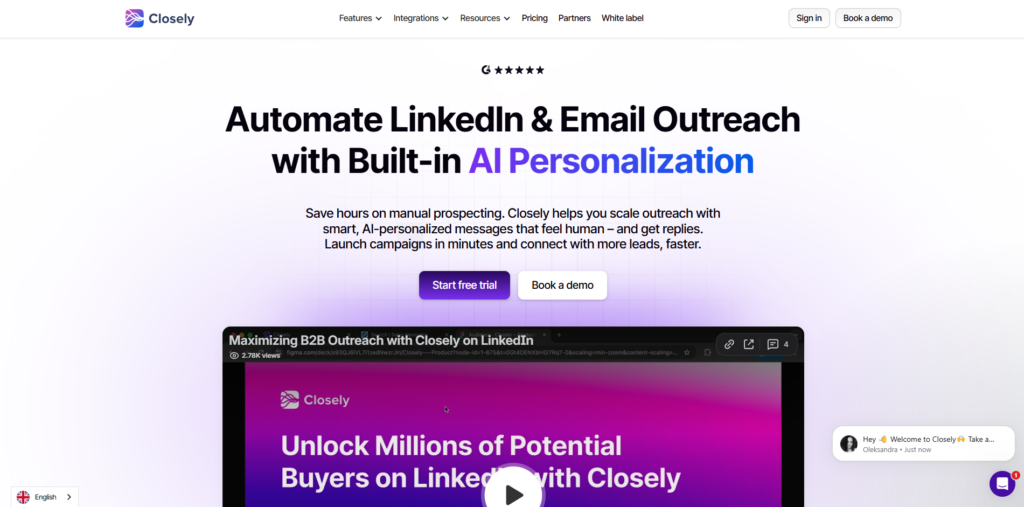
Closely is a cloud-based sales engagement platform that combines LinkedIn automation, email outreach, and a B2B contact database into a single dashboard. Unlike chrome extensions that run on your browser and risk flagging your account, Closely operates on the cloud with dedicated IP addresses, making it a much safer option for scaling outreach.
The core mission of the product is simple: to help sales teams, recruiters, and marketers launch multichannel campaigns (LinkedIn + Email) without the manual grunt work. It aims to replace the disjointed stack of scraping tools, email verifiers, and CRM plugins with one cohesive solution.
Key Features & Benefits
After using the platform extensively for a recent campaign, here are the features that stood out:
Cloud-Based LinkedIn Automation
This is the bread and butter of the platform. You can set up automated sequences that include connection requests, follow-up messages, profile views, and skill endorsements. The benefit here is safety. Because it runs on the cloud, it mimics human behavior with randomized delays, keeping your account under LinkedIn’s radar.
Unified Inbox
This was a game-changer for my productivity. Closely aggregates all your LinkedIn messages and emails into one Unified Inbox. You can tag conversations, add notes, and reply to prospects from different channels without ever leaving the tab. It effectively turns your outreach into a ticketing system, ensuring no lead falls through the cracks.
Built-in B2B Lead Finder
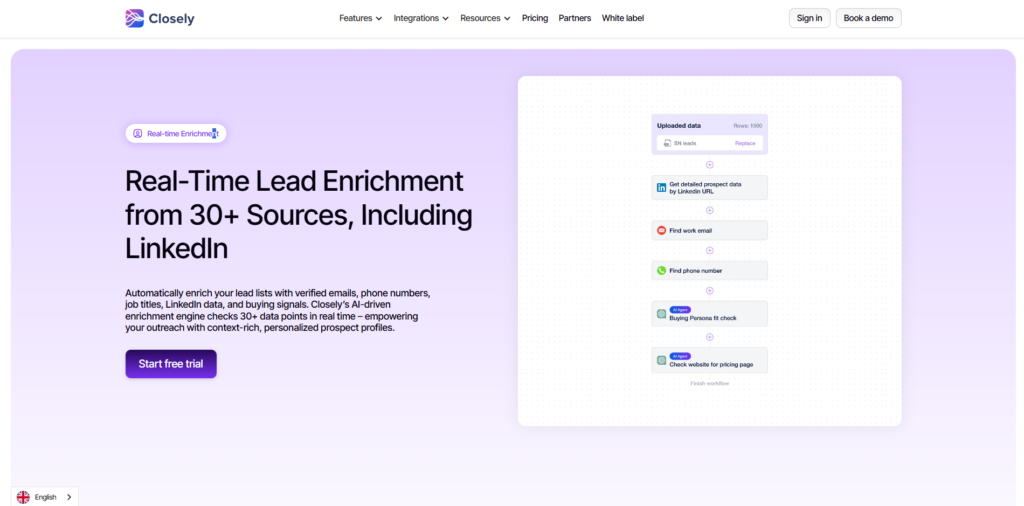
Closely isn’t just for messaging people you already know; it helps you find them too. Their database allows you to filter by industry, job title, and location to find fresh leads. I found the data accuracy to be quite high compared to other AI productivity tools in 2026.
Multichannel Campaigns
You can build “Smart Sequences” that combine LinkedIn and Email steps. For example, if a prospect accepts your connection request but doesn’t reply on LinkedIn, the system can automatically send a follow-up email after two days. This multi-touch approach significantly increases response rates.
Ideal Users / Use Cases
Closely is not for everyone, but it is a powerhouse for specific groups:
- B2B Sales Teams: If your daily KPI involves booking demos or calls, this tool automates the top of the funnel so you can focus on closing.
- Recruiters: The ability to scrape profiles and send automated outreach makes it perfect for headhunting candidates at scale.
- Agencies: Managing multiple client accounts is easy with Closely’s workspace feature, allowing you to switch between client profiles seamlessly.
- Startups & Founders: For small teams without a dedicated sales department, Closely acts as a virtual SDR (Sales Development Representative).
How It Works
Getting started with Closely was surprisingly intuitive. Here is the workflow I used:
First, you connect your LinkedIn account (and email provider if you want multichannel outreach). The platform immediately warms up your account to ensure safety.
Next, you define your audience. You can either import a CSV file, paste a LinkedIn search URL (from basic search or Sales Navigator), or use Closely’s internal Lead Finder.
Once your audience is ready, you build your campaign. The drag-and-drop builder lets you map out the journey: Step 1: View Profile -> Step 2: Send Connection Request -> Step 3: Wait 3 days -> Step 4: Send Message if connected.
Finally, you hit “Start.” The dashboard then provides real-time analytics, showing you open rates, reply rates, and which steps are converting the best.
Pricing
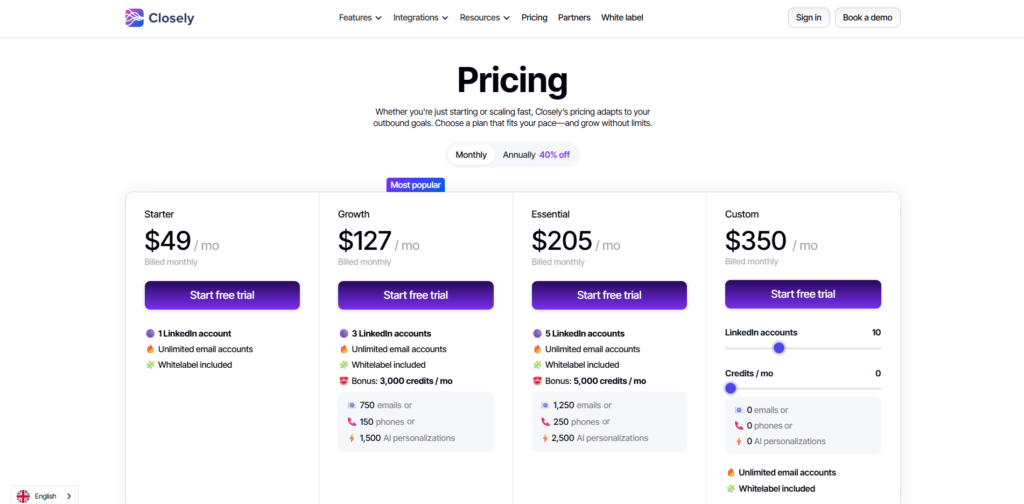
Closely offers a tiered pricing structure that fits different needs. While prices can fluctuate, here is the general breakdown:
- Free Trial: They offer a trial period (usually 14 days) that gives you full access to test the features. I highly recommend starting here.
- Personal Plan: Starts around $49/month (billed monthly). This is great for solo users, offering 1 LinkedIn account and a generous amount of lead finder credits.
- Growth Plan: Aimed at small teams, usually starting around $127/month. This includes more accounts and higher credit limits.
- Professional/Custom: For larger agencies or enterprises needing unlimited scraping and white-label options.
Note: They often run discounts for annual billing, which can bring the monthly cost down significantly.
Pros & Cons
Pros The biggest advantage of Closely is the Unified Inbox. It saves an incredible amount of time by centralizing communication. The interface is modern, clean, and much easier to navigate than clunky competitors. I also appreciate the cloud-based safety measures; knowing my LinkedIn account is on a dedicated IP gives me peace of mind. The ability to create multichannel campaigns (LinkedIn + Email) in one flow is a powerful feature that usually requires two separate expensive tools.
Cons However, no tool is perfect. The credit system for the Lead Finder can be limiting if you are doing high-volume prospecting on the lower-tier plans. While the AI features are good, the message personalization sometimes requires a manual review to ensure it sounds 100% human. Additionally, if you are a complete beginner to automation, there is a slight learning curve to understanding how to balance the daily limits to avoid flagging.
FAQs
Is Closely safe for my LinkedIn account?
Yes, Closely is generally safer than browser extensions because it runs on the cloud with dedicated IP addresses and mimics human behavior with random delays. However, you should always respect LinkedIn’s daily limit recommendations.
Does Closely work with Sales Navigator?
Absolutely. You can perform a search in LinkedIn Sales Navigator, copy the URL, and paste it into Closely to pull those specific leads into your automation campaign.
Can I manage multiple LinkedIn accounts?
Yes, the Growth and Professional plans allow you to connect and manage multiple LinkedIn accounts from a single dashboard, which is ideal for agencies.
Does it include email finding?
Yes, Closely has a feature to find and verify business email addresses for the prospects you are targeting on LinkedIn.
Conclusion & Call-to-Action
In conclusion, Closely is a robust, user-friendly, and safe solution for anyone looking to scale their B2B outreach. It effectively bridges the gap between LinkedIn automation and cold email, solving the fragmentation issue that plagues many sales stacks.
If you are serious about upgrading your lead generation process and want one of the AI productivity tools in 2026 that actually delivers on its promises, Closely is worth the investment.
Don’t just take my word for it—experience the difference in your workflow.
Click here to start your Free Trial of Closely today and transform how you connect with your future customers.