We have all been there. The camera turns on, the interviewer smiles politely, and then drops a technical question that makes your mind go completely blank. The anxiety of remote job interviews, especially in the tech and sales sectors, is at an all-time high. But what if you had a silent genius whispering the answers in your ear?
Welcome to the era of the “AI Copilot.” Today, I am diving deep into a tool that is making waves in the remote work community. In this LockedIn AI review, I will walk you through my personal experience with this software, dissect its features, and help you decide if this is the secret weapon you need to land your next big role.
If you are looking for AI productivity tools in 2025 that can genuinely change your career trajectory, keep reading.
Introduction: The Rise of the AI Interview Assistant
The landscape of hiring has changed. With the shift to Zoom, Google Meet, and Microsoft Teams, the dynamic of the interview is different. It is less about charisma in the room and more about precision on the screen. This shift has birthed a new category of SaaS: the Real-Time AI Assistant.
I have tested dozens of these tools over the last five years. Some are clunky, lagging behind the conversation. Others are too intrusive, covering your screen with distracting pop-ups. However, LockedIn AI promises something different: stealth, speed, and accuracy.
The premise is simple yet powerful. It listens to your meeting audio and provides relevant, context-aware answers instantly. But does it actually work when the pressure is on? Let’s find out.
Overview of LockedIn AI
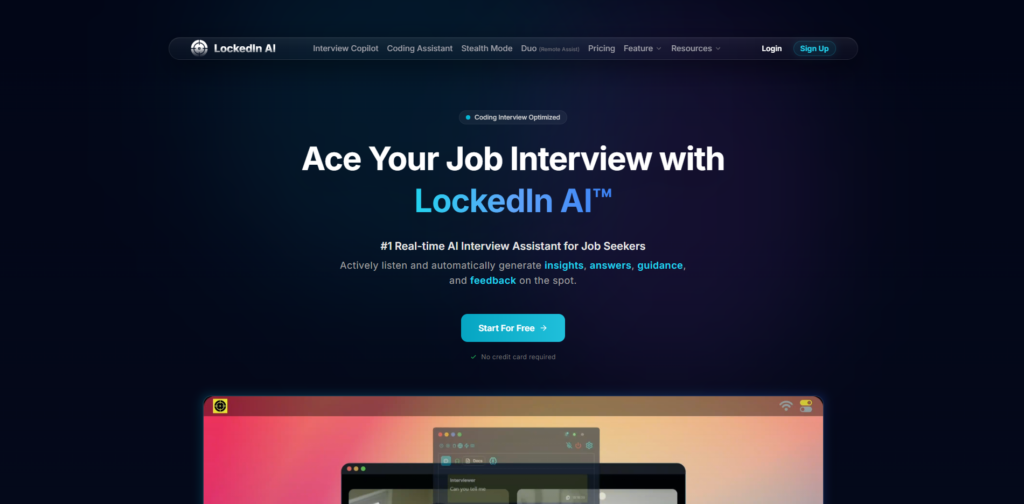
LockedIn AI is a specialized software designed primarily for professionals undergoing high-stakes online interactions—specifically job interviews and sales calls. Unlike generic chatbots like ChatGPT where you have to type out prompts (which is impossible to do discreetly during a video call), LockedIn AI automates the input process.
The technology utilizes advanced Speech-to-Text (STT) algorithms combined with Large Language Models (LLMs) to process incoming audio from your meeting. It then generates concise, technical, or behavioral responses displayed on a transparent overlay on your screen.
The primary goal of this tool is to eliminate “brain freeze.” It aims to serve as a second brain, retrieving technical knowledge, coding solutions, or optimal sales responses in milliseconds, allowing the user to maintain eye contact and confidence.
Key Features & Benefits
Having used the tool extensively in mock scenarios, I’ve identified the core features that set it apart.
Real-Time Audio Transcription and Analysis
The backbone of LockedIn AI is its ability to “hear” the interviewer. During my testing, the transcription was surprisingly accurate, even with slightly accented English. It doesn’t just transcribe; it analyzes the intent of the question. If an interviewer asks a multi-part question, the AI breaks it down.
Stealth Mode Overlay
This is the feature that will matter most to users. The interface is designed to be unobtrusive. It sits as a transparent layer over your meeting window. You can adjust the opacity and size, ensuring that you can read the AI-generated answers without looking like you are reading a script. To the person on the other side of the call, it just looks like you are looking at them.
Specialized Modes (Coding vs. Behavioral)
One size does not fit all. LockedIn AI allows you to toggle between different contexts. If you are in a software engineering interview, it can generate code snippets (Python, Java, C++, etc.) in real-time. If you are in a behavioral round, it shifts to the STAR method (Situation, Task, Action, Result) to help you structure your stories.
Response Customization
You aren’t forced to use the first answer it gives. You can quickly regenerate responses if the tone isn’t right. Furthermore, the tool learns to be concise. In a live conversation, you cannot read a 500-word essay. The tool prioritizes bullet points and key talking points.
Multi-Platform Compatibility
It works independently of the video conferencing software. Whether your interview is on Zoom, Teams, Google Meet, or Webex, LockedIn AI functions because it operates at the system audio level, not as a browser extension that might get blocked.
Ideal Users / Use Cases
Who is this tool actually built for? While anyone could technically use it, it provides the most value to three specific groups.
Software Engineers and Developers
Technical interviews are brutal. Remembering every LeetCode solution or system design principle under pressure is difficult. LockedIn AI acts as a technical reference guide, instantly pulling up syntax or algorithmic logic when you get stuck.
Sales Professionals (SDRs/AEs)
When you are on a discovery call and a prospect asks a tough objection regarding compliance or technical specs, you don’t want to say, “I’ll get back to you.” This tool helps sales reps overcome objections in real-time, closing the knowledge gap immediately.
Non-Native English Speakers
For professionals who are highly skilled but feel insecure about their business English fluency, this tool is a game-changer. It helps rephrase thoughts and ensures you understand the nuance of the interviewer’s questions.
How It Works
Setting up LockedIn AI is straightforward, but it does require a few specific steps to ensure it runs smoothly during a call.
Step 1: Installation and Permissions After you sign up, you download the desktop application. You must grant it permission to access your microphone and system audio. This is crucial—without system audio access, it cannot hear the interviewer.
Step 2: Calibration Before the main event, you enter a calibration mode. You can test the audio pickup to ensure the transcription is lagging less than a second.
Step 3: The Setup Launch your meeting platform (e.g., Zoom). Then, launch LockedIn AI. Position the overlay window near your webcam. This is a pro tip: by placing the text near the camera, your eyes stay focused on the interviewer while you read.
Step 4: Live Assistance As the conversation flows, the AI transcribes the text. When a question is detected, it generates a response. You can scroll through the answer or hit a hotkey to generate a new angle.
Pricing
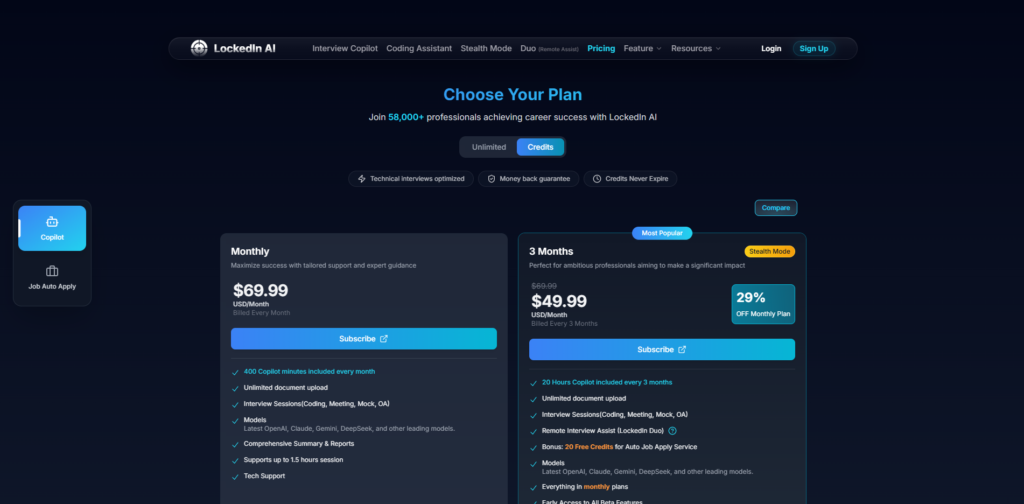
Pricing for SaaS tools fluctuates, so I always recommend checking the official website for the most current numbers. However, LockedIn AI generally operates on a freemium or tiered model, which is standard for best AI tools for interviews.
- Free Trial / Basic Plan: usually allows for a limited number of minutes or questions. This is great for testing the lag time and interface to see if it suits your workflow.
- Pro Monthly Plan: This unlocks unlimited interview minutes, faster processing speeds (crucial for real-time interaction), and advanced coding models. For a job seeker, the ROI of one month’s subscription is negligible compared to the salary increase of landing a new job.
- One-Time Passes: Some similar tools offer “Day Passes” for users who only have one big interview coming up, though subscription models are more common here.
Pros & Cons
As a reviewer, I value transparency. No tool is perfect, and you need to know the limitations before relying on it.
Pros (The Good Stuff)
- Low Latency: The speed is impressive. In my tests, answers appeared within 2-4 seconds of the question finishing. This is fast enough to fill the silence with a filler phrase like “That’s an interesting question…” while you read the output.
- High Accuracy on Technical Topics: For definitive questions (e.g., “What is the difference between TCP and UDP?”), the tool is nearly flawless. It pulls textbook-accurate definitions.
- Psychological Safety Net: Even if you don’t read the answer word-for-word, just seeing the key points on the screen reduces panic. It acts as a confidence booster.
- Undetectable UI: The transparency controls are excellent. It really does blend into the desktop environment, making it very difficult for anyone to know you are using assistance.
Cons (The Limitations)
- The “Robot” Risk: If you read the answers verbatim, you will sound like a robot. You must use the tool as a guide, not a script. You need to paraphrase the output into your own voice.
- Contextual Nuance: While great at technical facts, it sometimes struggles with highly specific questions about your personal resume history unless you have pre-loaded that context (depending on the version updates).
- Ethical Considerations: There is a learning curve to using this ethically. It should aid your knowledge, not replace your competence. Relying on it 100% for a job you are unqualified for will only lead to failure later on the job.
FAQs
Here are the most common questions I hear regarding LockedIn AI.
Can interviewers detect that I am using LockedIn AI?
Technically, no. The software runs locally on your machine as an overlay. It does not inject code into the browser or the meeting software. However, behavioral cues can give you away. If your eyes are darting back and forth reading text, or if you wait 5 seconds before speaking every time, an experienced interviewer might get suspicious. The tool is undetectable; your body language is up to you.
Does it work for live coding challenges?
Yes, it is one of the best AI tools for coding interviews. It can recognize the problem statement being discussed and suggest code logic or snippets. However, you should use this to understand the logic, not just copy-paste, as you will likely be asked to explain your code.
Is it worth the money for just one interview?
Think about the value of the job offer. If a subscription costs the equivalent of a few coffees, but it helps you land a high-paying tech role, the return on investment is massive. I recommend getting it a few days before the interview to practice, so the subscription is usually worth it.
Does it work on Mac and Windows?
Yes, LockedIn AI is generally compatible with both major operating systems. Ensure your OS is updated to allow for proper audio routing permissions.
Conclusion & Call-to-Action
The job market in 2025 is more competitive than ever. Companies are using AI to screen resumes, so why shouldn’t you use AI to ace the interview?
LockedIn AI is a powerful, sophisticated tool that levels the playing field. It bridges the gap between your preparation and your performance. It isn’t a magic pill that replaces knowledge, but it is an incredible safety net that allows your true potential to shine without the fog of anxiety.
If you are tired of freezing up during technical questions or want to have a competitive edge in your next sales presentation, this tool is a “must-try.”
Don’t leave your career to chance. Equip yourself with the best technology available.
Click here to try LockedIn AI today and secure your next offer.
Take control of your interview process. Good luck!